
Understanding the Importance of Compliant Photos for Your Naturalization Application
Submitting photos that meet the stringent requirements set by the USCIS is not merely a formality; it's a critical step in your naturalization process. Non-compliant photos are a common reason for application delays or even rejection. Taking the time to understand and adhere to these guidelines can save you valuable time and resources, ensuring your application proceeds smoothly. Following this guide ensures you understand the specifications needed, why they are important and reduces the chances of any setbacks in your journey to citizenship.
Detailed Breakdown of USCIS Photo Requirements
The USCIS has very specific requirements for photos submitted with the N-400, Application for Naturalization. Here's a breakdown of the key specifications:
Size and Dimensions
Your photos must adhere to these exact size specifications:
- Photo Size: 2x2 inches (51x51 mm).
- Head Size: The head (measured from the top of the hair to the bottom of the chin) should measure between 1 inch and 1 3/8 inches (25 mm and 35 mm).
- Eye Height: The eye level should be between 1 1/8 inches to 1 3/8 inches (29 mm and 35 mm) from the bottom of the photo.
Format and Composition
- Color: Photos must be in color, not black and white. The coloring must accurately reflect your natural skin tone.
- Background: The background must be white and free of shadows or distractions. A plain white wall or sheet is best.
- Pose: You must face the camera directly with a neutral expression. No tilting of the head, no smiling, frowning, or raised eyebrows.
- Quality: Photos must be clear, sharp, and in focus. They should not be blurry or pixelated. No edits or retouching that alter your appearance is permitted.
Digital vs. Print Photos
- Digital Photos: If submitting photos electronically, they must be in JPEG format.
- Resolution: The digital image must have a resolution of at least 300 dots per inch (dpi).
- Print Photos: If submitting printed photos, they must be printed on thin, photo-quality paper.
Step-by-Step Guide to Taking Compliant Photos at Home
Taking your own USCIS photos at home can be a cost-effective solution. Here's how to do it right:
Setting up the Background
- Find a White Wall: Locate a wall in your home that is white or can be covered with a plain white sheet or paper.
- Ensure Even Lighting: Make sure the area is well-lit with natural light or soft, diffused artificial light to avoid shadows. Avoid harsh, direct overhead fluorescent lights.
- Remove Distractions: Clear the background of any objects, patterns, or decorations that could distract from your face.
Optimizing Lighting
- Natural Light: If possible, use natural light by positioning yourself facing a window. Avoid direct sunlight, which can cause harsh shadows and squinting.
- Artificial Light: If using artificial light, use two softbox lights placed on either side of you to provide even illumination. Ensure the light is not too harsh.
- Avoid Shadows: Check for shadows on your face or the background, and adjust your lighting accordingly to eliminate them.
Framing the Shot
- Position Yourself: Stand or sit directly facing the camera.
- Maintain Distance: Ensure the camera is at eye level and positioned about 4-6 feet away to capture your head and upper shoulders.
- Frame Your Face: Use the camera's viewfinder or screen to frame your face, ensuring your entire head and upper shoulders are visible and centered.
Achieving a Neutral Expression
- Relax Your Face: Keep your facial muscles relaxed to achieve a neutral expression. Practice in a mirror to get comfortable.
- Look Directly at the Camera: Focus your eyes directly on the lens.
- Avoid Smiling: Keep your mouth closed and avoid any smiling, frowning, or other exaggerated expressions.
Using a Smartphone or Camera
- Use a High-Resolution Camera: Use a smartphone or camera with a high-resolution setting to capture clear and sharp images. Aim for at least 12 megapixels.
- Stabilize the Camera: Use a tripod or steady surface to stabilize the camera and avoid blurry photos. A shaky hand can ruin a perfectly good shot.
- Take Multiple Shots: Take several photos, experimenting with different lighting and angles, to ensure you have a few good options to choose from. More choices increase your chance of success.
Dress Code Guidance for USCIS Photos
Choosing the right attire for your USCIS photo is essential to ensure compliance. Here are some guidelines:
- General Attire: Wear everyday clothing that you would typically wear in public. Avoid uniforms or clothing that is too revealing or suggestive.
- Color and Style: Choose clothing that is a different color than the white background to ensure your outline is clearly visible. Solid colors are best. Avoid busy patterns, prints, or distracting designs.
- Religious Head Coverings: Religious head coverings are permitted, but they must not obscure your face. The head covering should be plain, unadorned, and not cast shadows on your face. The facial features from the bottom of the chin to the top of the forehead and both edges of the face must be clearly visible.
- Medical Head Coverings: If you wear a head covering for medical reasons, you must submit a signed statement from your doctor explaining the need for the head covering. This statement must be included with your application.
- Eyeglasses: As of November 1, 2016, eyeglasses are generally not allowed in USCIS photos. There are limited exceptions for medical reasons, with appropriate documentation.
*Note:* *It is best practice to remove glasses for your photo to avoid any potential issues or delays.* You do not need to provide documentation unless asked to do so. - Jewelry and Accessories: Keep jewelry and accessories to a minimum. Avoid large or distracting items that could obscure your face or cause reflections. Small earrings and necklaces are generally acceptable.
Addressing Unique Situations
Infants and Children
Taking compliant photos of infants and young children can be particularly challenging. Here are some specific tips:
- Lay the Baby on a White Sheet: Lay the baby on a plain white sheet or blanket in a well-lit area. Ensure there are no patterns or textures that could cause shadows.
- Ensure a Neutral Expression: Try to capture the photo when the baby is calm and has a neutral expression. Using toys or sounds to get their attention can help. Patience is key!
- No Holding or Support: Make sure no one is holding or supporting the baby in the photo. Keep the background clear and free of distractions. It may be helpful to have another person nearby to assist in getting the child's attention, but they must not be visible in the photo.
Individuals with Disabilities or Medical Conditions
If you have a disability or medical condition that affects your appearance, you may need to make certain accommodations to ensure your photo is compliant:
- Medical Devices: If you wear medical devices such as hearing aids or prosthetic limbs, they are generally allowed in the photo as long as they do not obscure your face. Ensure they are clean and in good condition.
- Head Coverings: If you wear a head covering for medical reasons, you must submit a signed statement from your doctor explaining the need for the head covering. This statement must be included with your application.
- Facial Scars or Disfigurements: The USCIS understands that some individuals may have facial scars or disfigurements. These should be visible in the photo, as they are part of your natural appearance. Do not attempt to hide or alter them.
Leveraging AI-Powered Tools for Guaranteed Compliance
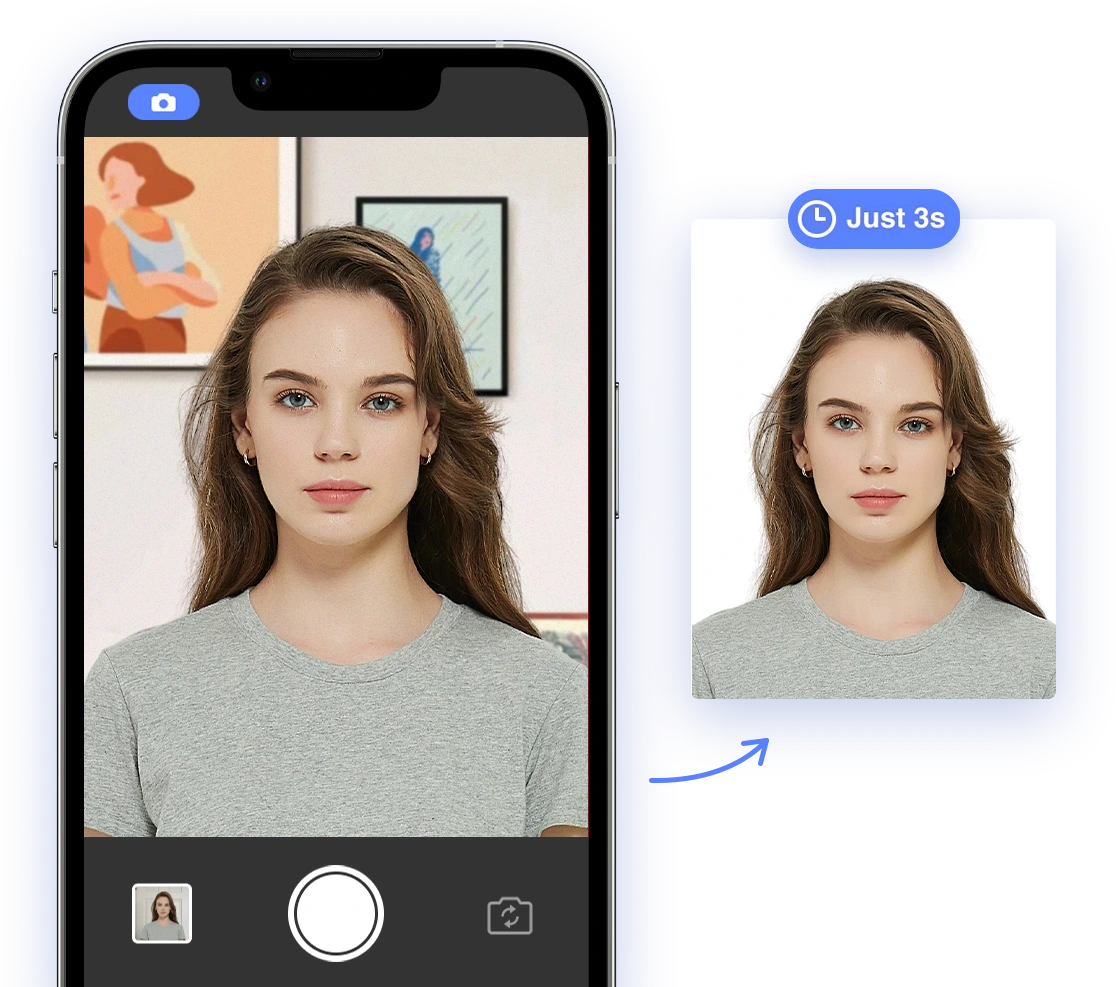
AI passport photo apps like AI Passport Photo can greatly simplify the process of creating compliant USCIS photos. These tools offer features such as:
- Automatic Cropping and Resizing: The app can automatically crop and resize your photo to meet the exact size requirements, ensuring your head size and eye height are within the specified ranges.
- Background Removal: It can automatically remove the background and replace it with a plain white background, eliminating shadows and distractions.
- Facial Feature Detection: AI can detect your facial features and ensure they meet the required measurements and proportions.
- Compliance Check: The app can analyze your photo to ensure it meets all USCIS guidelines, alerting you to any potential issues such as incorrect lighting, non-neutral expression, or improper attire.
- Color Adjustment: The app can adjust the photo to ensure the colors are accurate and that it accurately reflects your natural skin tone.
By using these tools, you can minimize the risk of errors, save time, and ensure your photos are compliant with USCIS requirements. It is important to choose a reputable and reliable AI passport photo service that is up-to-date with the latest USCIS guidelines.
Troubleshooting Common Photo Rejection Issues
Even with careful preparation, photos can sometimes be rejected. Here are some common reasons for rejection and how to address them:
- Poor Lighting: Ensure your photo is well-lit and free of shadows. Adjust the lighting and retake the photo. Avoid harsh lighting, which can cause shadows and glare.
- Incorrect Background Color: Make sure the background is plain white. Use a background removal tool or retake the photo against a suitable background.
- Improper Cropping: Ensure your face is properly framed and meets the size requirements. Use a cropping tool or AI-powered photo tool to adjust the framing.
- Non-Compliant Attire: Wear appropriate clothing and remove any non-compliant accessories. Review the dress code guidelines and make necessary adjustments.
- Unnatural Appearance: Avoid excessive makeup, filters, or digital enhancements that alter your natural appearance. The photo should accurately reflect your everyday look.
- Blurry or Pixelated Image: Use a high-resolution camera and steady your hand or use a tripod to capture clear and sharp images. Ensure the camera lens is clean and free of smudges.
USCIS Photo Submission Guidelines
When submitting your photos with your naturalization application, keep the following in mind:
- Digital Submission: If submitting electronically, ensure your photos are in JPEG format and meet the required resolution (at least 300 dpi).
- Print Submission: If submitting printed photos, print them on thin, photo-quality paper and ensure they are clear and sharp. Matte or glossy paper is acceptable.
- Quantity: Generally, you need to submit two identical photos with your application, but it is best to check the instructions for Form N-400 on the USCIS website to ensure you are submitting the right number of photos and to double check for any changes in requirements.
- Labeling: On the back of each photo, gently write your name and A-number (Alien Registration Number) with a soft pencil or felt-tip pen. Do not use a pen that could bleed through the photo.
- Packaging: Place the photos in a small envelope and attach it to your application form. Do not staple or tape the photos to the form, as this could damage them.
What to Do If Your Photo Is Rejected?
If the USCIS rejects your photo, don't panic. You will receive a Request for Evidence (RFE) with instructions on how to correct the issue. Review the rejection reason carefully and take the necessary steps to address it. Retake the photos, ensuring they meet all requirements, and resubmit them to the USCIS along with the RFE. Be sure to respond to the RFE by the deadline to avoid delays in processing your application.
The Future of USCIS Photo Verification: The Role of AI
As technology advances, AI is likely to play an increasingly important role in verifying photo compliance for USCIS applications. AI-powered systems can automatically analyze photos to ensure they meet all requirements, reducing the risk of errors and streamlining the application process. This could lead to faster processing times and fewer rejections, making the naturalization process more efficient and accessible for all. Expect to see more integration of AI in the future to further enhance the accuracy and efficiency of photo verification.
2024-2025 Updates
To ensure you have the most accurate and up-to-date information, always refer to the official USCIS website for the latest guidelines and requirements. This guide is based on the current guidelines as of 2024-2025, but it's essential to verify any changes or updates before submitting your application. Regulations can change, so always consult the official sources.
By following this comprehensive guide, you can confidently create compliant USCIS photos for your naturalization application, minimizing stress and maximizing your chances of a successful citizenship journey. Good luck!
If you are still concerned about the quality and compliance of your photo, consider using AI Passport Photo to remove all doubt and to guarantee your photo will meet all the official specifications.