
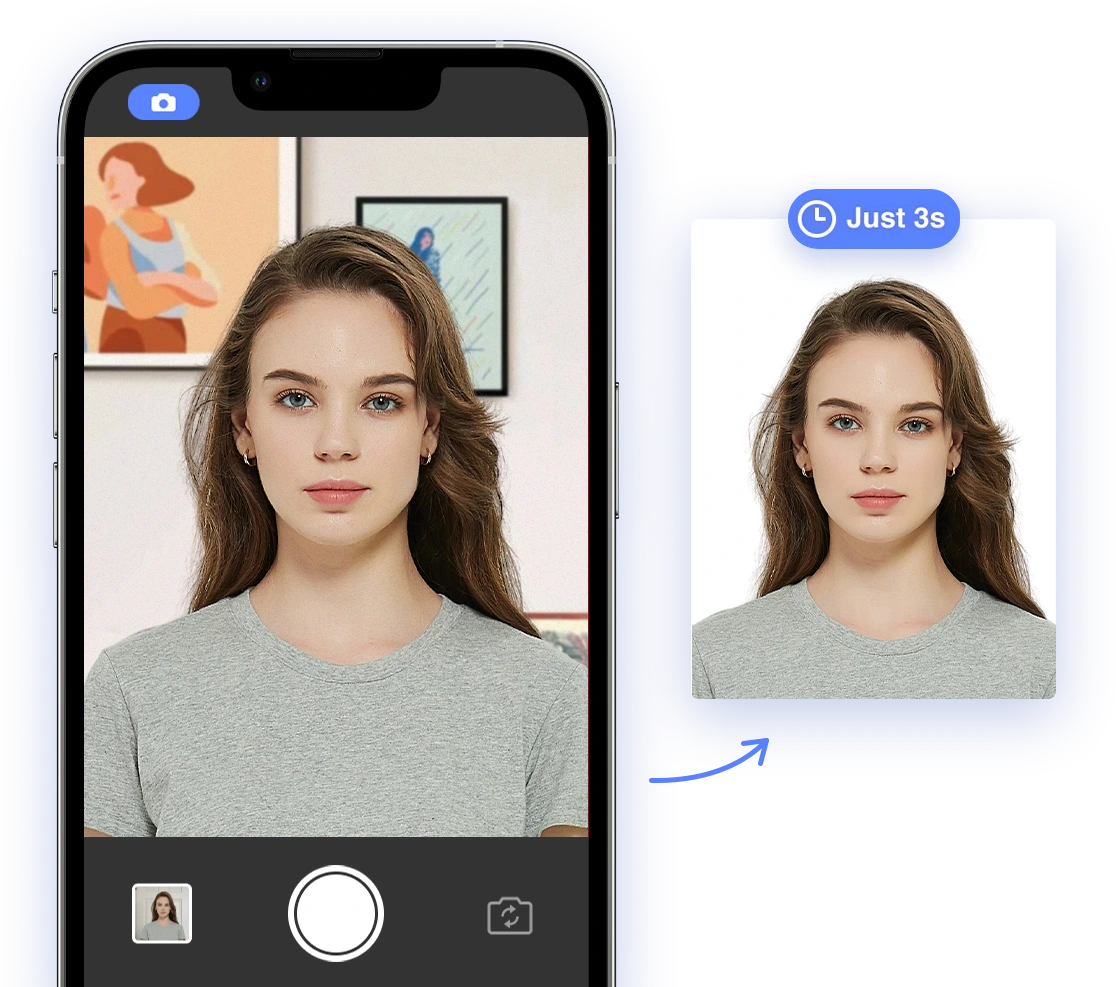
Core Requirements for US Photo IDs
Regardless of the specific document, several core requirements apply to most photo IDs in the US. Understanding these foundational rules is essential for creating compliant photos. Let's break down the key elements.Dimensions and Size
The size of your photo ID is crucial. Here's a breakdown:- US Passports and Visas: 2x2 inches (51x51 mm)
- Green Cards: 2x2 inches (51x51 mm)
- Driver's Licenses: Varies by state, but generally around 2x2 inches. Check your state's DMV website for precise measurements.
- Citizenship Applications: 2x2 inches (51x51 mm)
Background
The background of your photo must be:- Plain white or off-white: Ensure the background is a solid, light color.
- Evenly lit: Avoid shadows or glares that can obscure your features.
- Uncluttered: The background should be free of any objects, patterns, or textures.
Lighting and Focus
Proper lighting and focus are critical for a clear and compliant photo. Ensure:- Even lighting: Avoid shadows on your face by using diffused lighting.
- Sharp focus: The image should be clear and not blurry; use a stable camera or tripod.
- No red-eye: Use appropriate camera settings or editing tools to eliminate red-eye. Modern smartphones often have built-in features to help with this.
Pose and Expression
Your pose and expression should adhere to the following guidelines to ensure biometric accuracy:- Full face view: Face the camera directly, with your entire face visible.
- Neutral expression: Maintain a natural expression with no smiling, frowning, or raised eyebrows. For more information, see our article about Is it okay to smile in a passport photo?
- Eyes open and visible: Avoid squinting or closing your eyes; your eyes should be clearly visible.
Dress Code Guidelines
What you wear in your photo ID can also impact its compliance. Here are some general guidelines:Acceptable Attire
- Everyday clothing: Wear your normal, everyday attire. Religious clothing is acceptable if worn daily.
- Plain colors: Solid colors are generally best to avoid distractions. However, darker colors can help provide contrast against a light background. Get more tips about what to wear for a U.S. passport photo
Prohibited Patterns and Accessories
- No busy patterns: Avoid clothing with distracting or complex patterns.
- No hats or head coverings: Unless worn daily for religious or medical reasons (see below).
- Minimal jewelry: Keep jewelry minimal to avoid obscuring facial features or creating distracting reflections. Review our article about jewelry in passport photos.
Acceptable Hairstyles and Makeup
Your hairstyle and makeup should not obstruct your facial features or distort your appearance.Hairstyles
- Hair off the face: Keep hair away from your eyes and forehead to ensure your facial features are fully visible. Review our comprehensive guide on What are the requirements for hair on passport photos in the United States?
- Natural volume: Avoid extreme hairstyles that significantly alter your appearance, making sure your hair does not cast shadows.
Makeup
- Natural look: Makeup should enhance your features without being overly dramatic. The goal is to present your everyday appearance.
- Avoid heavy contouring: Keep your natural face shape visible, avoiding excessive contouring that significantly alters your features. Discover more information on enhancing Your Driver's License Photo: Unveiling the Power of Makeup.
Specific Situations and Accommodations
Certain situations may require accommodations or have specific guidelines. Here are some common scenarios:Infants and Children
- Alone in the photo: Infants should be alone in the photo, not held by anyone. Use support if needed but ensure it's not visible.
- Eyes open: Try to capture the photo when the baby's eyes are open. This may require patience and multiple attempts.
- Laying down or in a car seat: You can lay the baby on a plain white sheet or use a car seat covered with a white cloth to provide a suitable background. Consult our tips for Applying for Your Child's Passport: A Comprehensive Guide
Medical Conditions
- Medical devices: If you need to wear medical devices, ensure they don't obscure your face. Position the device so that it is as unobtrusive as possible.
- Documentation: It may be helpful to have a doctor's note explaining the necessity of the device, particularly for less common devices.
Religious Head Coverings
- Allowed: Head coverings worn daily for religious reasons are generally allowed.
- Face visible: Ensure the head covering does not obscure your face, hairline, or cast shadows. The full face must be visible.
DIY Tips and Troubleshooting
Taking your photo ID at home can be convenient and cost-effective. Here are some tips to ensure a smooth process:Lighting Techniques
- Natural light: Use natural light whenever possible. Position yourself near a window but avoid direct sunlight.
- Avoid direct sunlight: Direct sunlight can cause harsh shadows and overexposure. Use a sheer curtain to diffuse the light.
- Use a reflector: A white board or reflector can help even out the lighting, filling in any shadows. Find out more information about how to Get the Best Passport Photos
Background Setup
- Use a plain white wall: A plain white wall works best as it provides a neutral, distraction-free background.
- Hang a white sheet: If you don't have a white wall, hang a white sheet or poster board, ensuring it's smooth and wrinkle-free.
Pose Recommendations
- Stand straight: Maintain a straight posture with your shoulders relaxed.
- Look directly at the camera: Ensure your eyes are level and focused, avoiding tilting your head.
Common Issues and How to Avoid Them
- Shadows: Adjust lighting to eliminate shadows on your face or background.
- Blurry photos: Use a tripod or stabilize your camera to avoid blurriness. Ensure the camera is properly focused.
- Incorrect size: Use photo editing software or an online ID photo generator to crop and resize the photo accurately to the required dimensions.
Leveraging AI-Powered Tools
AI-powered tools can significantly simplify the process of creating compliant photo IDs, saving time and reducing the risk of rejection. These tools can:Benefits of Using AI
- Automatic resizing and cropping: AI tools can automatically resize and crop your photo to the correct dimensions, ensuring compliance with specific requirements.
- Background removal: AI can remove and replace backgrounds to ensure compliance, even if your initial photo was taken against a non-compliant backdrop.
- Compliance checks: AI can analyze your photo and identify potential issues, such as incorrect lighting, pose, or background, before you submit it.
AI Passport Photo: A Comprehensive Solution
AI Passport Photo offers a comprehensive solution for creating compliant photo IDs. With a user-friendly interface and AI-powered checks, it ensures your photos meet all official requirements. Key features include:- AI-driven compliance checks: Real-time analysis to ensure your photo meets all requirements.
- Automatic background removal: Replaces non-compliant backgrounds with a plain white one.
- Precise cropping and resizing: Automatically adjusts the photo to the correct dimensions.
- User-friendly interface: Simple and intuitive design for easy use.
Other Available AI Tools
- PersoFoto: Offers similar AI-driven compliance checks and editing tools.
- IDPhotoDIY: Provides a range of tools for creating various types of ID photos.
- Biometric Passport Photo: Specializes in biometric analysis to ensure compliance with passport photo standards.