
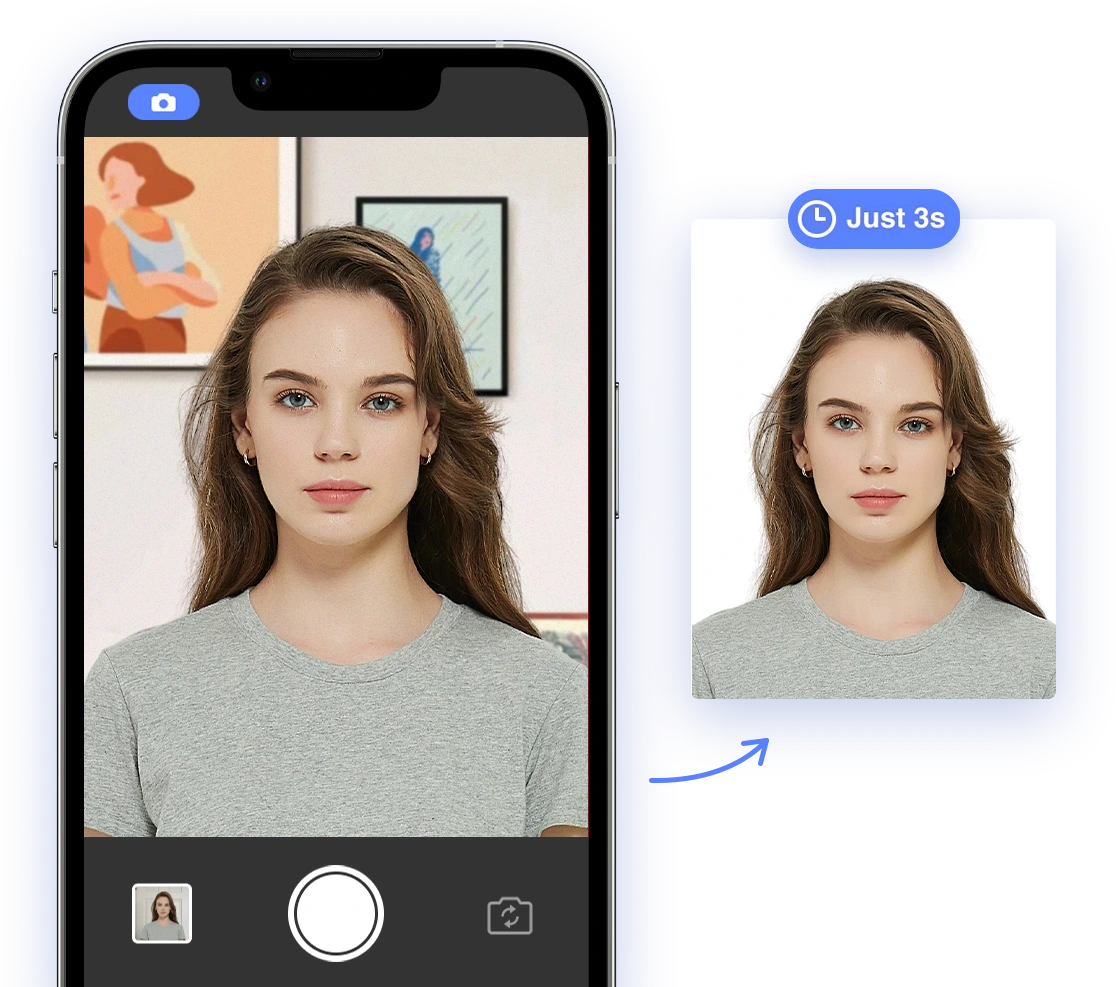
Understanding 2026 Passport Photo Requirements
Before troubleshooting upload issues, it's essential to understand the official requirements for US passport photos in 2026. According to the U.S. Department of State, key requirements include:
- Photo Size: 2 x 2 inches (51 x 51 mm)
- Digital Image Size: Minimum 600 x 600 pixels, maximum 1200 x 1200 pixels
- Head Size: 1 inch to 1 3/8 inches (25 to 35 mm) from the bottom of your chin to the top of your head. This should be 50% to 69% of the image's total height.
- Background: Plain white or off-white with no shadows, textures, or objects.
- Expression: Neutral facial expression with both eyes open and mouth closed.
- Eyeglasses: Generally, eyeglasses are not allowed, unless you have a medical reason (e.g., recent ocular surgery) and can provide a signed medical statement. The frames must not cover your eyes, and there should be no glare or shadows obscuring your eyes.
- Head coverings: Hats or head coverings are not allowed unless worn daily for religious purposes. Your full face must be visible, and the head covering must not cast shadows on your face.
- Attire: Wear clothing you normally wear on a daily basis. Uniforms are not allowed, except for religious clothing worn daily.
- Other restrictions: No headphones, wireless hands-free devices, or similar items are allowed in the photo.
- Photo Quality: The photo should be in color, not blurry, grainy, or pixelated, and with high resolution. There should be no filters, retouching, or AI edits. The photo should be printed on matte or glossy photo-quality paper without creases or smudges.
- When to take photo: The photo must be taken within the last 6 months to reflect your current appearance.
- Who can take photo: Self-submitted photos are no longer accepted. Only photos taken by USCIS or other authorized entities will be used.
For the complete and most up-to-date information, refer to the official U.S. Department of State guidelines.
Common Upload Problems & AI-Powered Solutions
Many technical and compliance issues can cause problems when uploading passport photos online. Here's how to troubleshoot these issues with the help of AI-powered tools:
Photo Quality Issues
- Problem: Blurry, pixelated, or low-resolution photos often lead to rejection. It's crucial that submitted photos are clear and sharp to accurately represent your identity.
- AI-Powered Solution: AI tools can enhance image quality and resolution for online submission. These tools upscale the photo, sharpen details, and remove blurriness to meet the required standards. For a visual guide on how to enhance your photo, check out this helpful video: How to take your passport photo at home!
- Example: AI-powered upscaling functionalities can increase the resolution of a low-quality image while maintaining its clarity and details, making it suitable for online submission. This ensures your facial features are distinct and easily identifiable.
Background Problems
- Problem: Non-compliant backgrounds, such as shadows, textures, or incorrect colors, are common reasons for rejection. A consistent, plain background is essential for biometric analysis.
- AI-Powered Solution: AI background removal and replacement tools can automatically detect and remove non-compliant backgrounds, replacing them with a plain white or off-white background. If you're struggling with background issues, this video might help: Easy iPhone Passport Photo tip!
- Example: With a single click, AI can isolate the subject from the background and replace it with a compliant color, ensuring the photo meets official standards. This is especially useful for photos taken at home where a proper background isn't available.
Lighting Issues
- Problem: Uneven lighting, shadows, and over/underexposed photos can obscure facial features and lead to rejection. Proper lighting ensures accurate facial recognition.
- AI-Powered Solution: AI can adjust brightness and contrast, and eliminate shadows. These tools analyze the photo and automatically correct lighting imbalances to ensure proper exposure.
- Example: AI can brighten underexposed areas, reduce harsh shadows, and balance the overall lighting to highlight facial features clearly and accurately, providing a well-lit and compliant photo.
Facial Expression & Posing
- Problem: Non-neutral expressions or incorrect head size/position can result in rejection. Accurate biometric data relies on a neutral expression and correct head positioning.
- AI-Powered Solution: AI tools can automatically detect and correct head position and facial features. These tools ensure a neutral expression and proper head size and position within the frame.
- Example: AI can analyze the photo to ensure the head is correctly centered, the eyes are level, and the facial expression is neutral, reducing the risk of rejection due to posing issues. This helps maintain consistency and accuracy.
Technical Specifications
- Problem: File size, format, and color space issues can prevent successful uploads. Adhering to technical specifications ensures compatibility with online submission systems.
- AI-Powered Solution: AI tools can automatically convert and optimize images for online submission, adjusting file size, format, and color space to meet specific requirements. See how to resize your photo effectively: 📢 Resize Photo & Signature for SSC, UPSC, IBPS, RRB & Govt Exams | CGL, CHSL, PO, NTPC & More
- Example: With AI, you can convert a high-resolution image to the required JPEG format and reduce the file size without compromising image quality, ensuring a smooth upload process and preventing technical errors.
DIY Tips & Best Practices
While AI tools can significantly simplify the process, following these DIY tips can further improve your chances of success:
- Use Natural Light: Take the photo in natural, clear light to avoid shadows and ensure proper exposure.
- Plain Background: Use a plain white or off-white background without textures or patterns. See "Background Problems" section for AI solutions if this is difficult.
- Neutral Expression: Maintain a neutral facial expression with your eyes open and mouth closed. AI tools mentioned previously can assist with this as well.
- Proper Distance: Position yourself at an appropriate distance from the camera to ensure the correct head size.
- Check for Blurriness: Ensure the photo is sharp and in focus before uploading.
Following these tips will improve your chances of a successful upload, but if you're unsure about any aspect of the process, consider using a professional service or AI to assist or replace DIY methods. It can save time and minimize potential issues. Consider using AI Passport Photo to get a compliant photo.
Choosing the Right AI Passport Photo Tool
With numerous AI-powered passport photo tools available in 2026, selecting the right one is crucial. Consider these factors when choosing a tool:
- Accuracy: Look for tools with a proven track record of accuracy and compliance with passport photo requirements. Check user reviews and independent evaluations to gauge reliability.
- Ease of Use: Choose a tool with a user-friendly interface that is easy to navigate, even for those with limited technical skills. A straightforward process is key for a seamless experience.
- Features: Ensure the tool offers essential features such as background removal, size adjustment, lighting correction, and compliance checks. The more comprehensive the features, the better.
- Cost-Effectiveness: Compare pricing plans and choose a tool that fits your budget. Look for free trials or affordable options that offer good value for money.
- Data Security: Opt for tools that use encryption and auto-deletion to protect your uploaded photos and personal information. Data privacy is a crucial consideration.
- Compliance Guarantees: Select tools that guarantee compliance with official requirements or offer a refund if the photo is rejected. This provides added assurance and peace of mind.
Consider using AI Passport Photo, an AI-based app, with a stellar 4.6 rating on Trustpilot. This app allows you to easily capture digital photos with your smartphone, making the process faster and more convenient than ever. For a step-by-step guide, see How to Renew Your U.S. Passport ONLINE in 2026 — Step-by-Step Guide (DS-82).
What to Do If Your Photo Is Rejected
Even with careful preparation and the use of AI, your passport photo might still get rejected. Here’s a step-by-step guide on what to do next:
- Review the Rejection Reason: Carefully read the rejection notice from the U.S. Department of State to understand the specific reason for rejection. This will guide your next steps.
- Correct the Issue: Based on the feedback, correct the identified issue (e.g., improve photo quality, adjust background, etc.). Pay close attention to the specific requirements outlined in the rejection notice.
- Use AI Tools: Utilize AI-powered tools to address the problem and ensure compliance with all requirements. This can help automate the correction process and minimize errors.
- Resubmit a New Photo: After correcting the issue, resubmit a new photo through the online application portal. Ensure the new photo meets all requirements.
- Consider Professional Assistance: If you continue to experience problems, seek assistance from a professional passport photo service or contact the U.S. Department of State for guidance. They can provide personalized assistance and address any remaining issues.
By following these steps and leveraging AI-powered tools, you can ensure compliance and a smooth passport application process.
Ensure a smooth passport application. Try AI Passport Photo today!