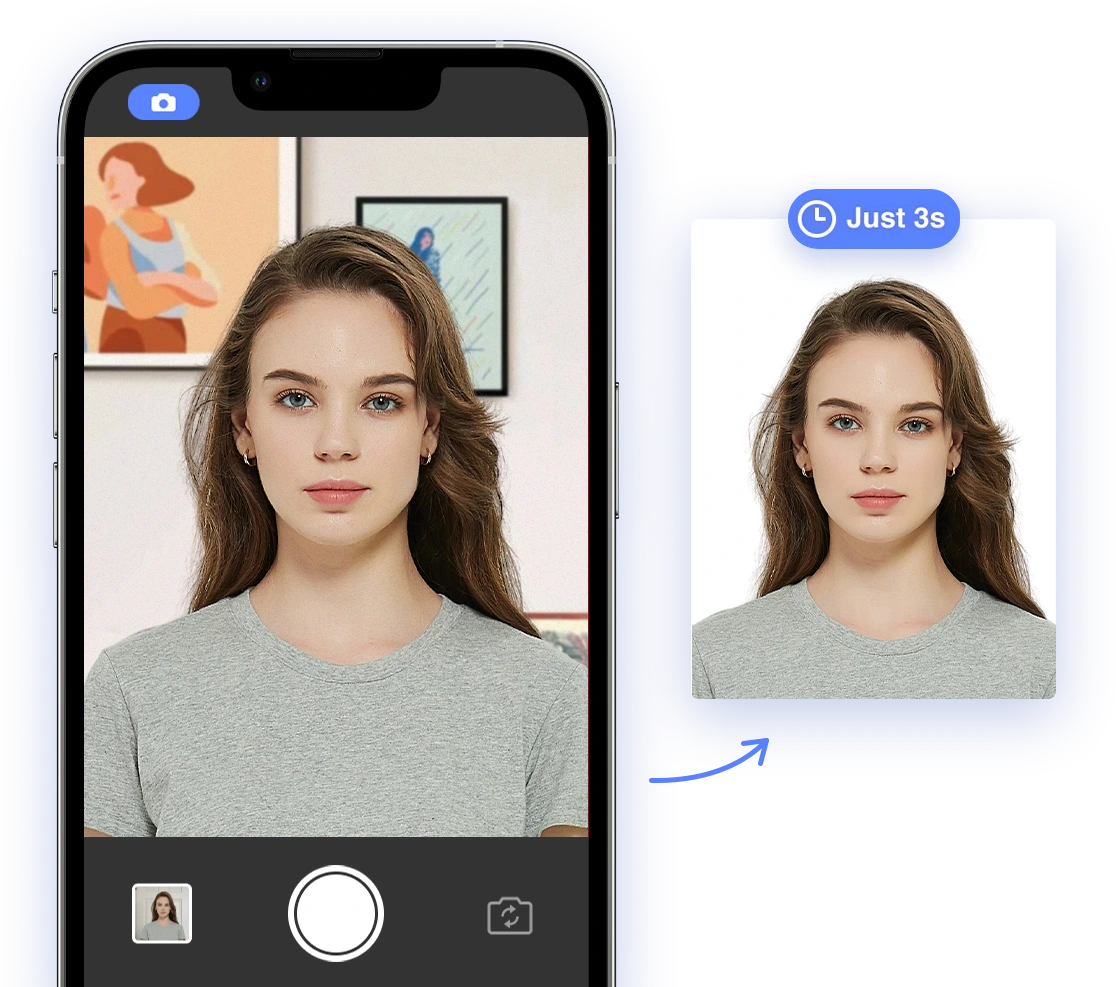
Applying for a passport or visa involves numerous details, and one crucial aspect often raises questions: can you retouch your passport photo? The short answer is yes, but with significant limitations. This guide clarifies what's permissible, what's prohibited, and how AI tools can assist in creating a compliant and flattering passport photo for 2026-2027. Understanding these guidelines can help you avoid delays and ensure your application is processed smoothly.
Understanding Acceptable vs. Unacceptable Retouching for Passport Photos
The core principle is that your passport photo must accurately represent your current appearance. This means that any retouching should be subtle and not alter your facial features significantly. The U.S. Department of State, along with international standards like ICAO (International Civil Aviation Organization), sets strict guidelines. Here’s a breakdown:
Acceptable Retouching for Passport Photos:
- Minor Blemish Removal: Small blemishes or temporary skin imperfections can be gently retouched. The goal is to remove distractions, not to create flawless, unrealistic skin.
- Subtle Skin Smoothing: Minor smoothing to reduce glare or soften harsh shadows is generally acceptable. Avoid making the skin appear unnaturally smooth or plastic-like.
- Teeth Whitening: Slight teeth whitening, as long as it doesn't distort your natural smile or tooth shape. The whitening should appear natural and not overly dramatic.
- Red-Eye Removal: Correcting red-eye is usually permitted, as it is a common photographic artifact.
Unacceptable Retouching for Passport Photos:
- Altering Facial Features: Changing the shape or position of your eyes, nose, mouth, or other features is strictly prohibited. This includes slimming the face, enlarging eyes, or altering the nose's shape.
- Removing Permanent Marks: Removing moles, scars, or tattoos is not allowed. These are considered identifying features.
- Adding or Removing Hair: Altering your hairline, adding hair, or removing bald spots is unacceptable. The photo must accurately reflect your current hairstyle and hairline. For detailed information about hair, see our guide on hair requirements for passport photos.
- Changing Skin Tone: Significantly lightening or darkening your skin tone is prohibited. The skin tone must be natural and consistent with your actual complexion.
- Removing Wrinkles: Removing or significantly reducing wrinkles is not allowed, as it alters your natural appearance and age.
- Adding Makeup: Artificially adding makeup (e.g., lipstick, eyeshadow) is not permitted. The photo should be a true representation of your face without enhancements.
Practical Tips for Subtle Enhancements in Passport Photos
To enhance your photo without violating guidelines, focus on subtle adjustments that improve overall quality while maintaining accuracy. The key is to enhance, not transform.
- Lighting Correction: Adjust brightness and contrast to ensure your face is evenly lit and free from harsh shadows. Avoid over-brightening, which can wash out your features.
- Color Correction: Correct any color imbalances to ensure your skin tone appears natural. Ensure the white balance is accurate to avoid unnatural hues.
- Blemish Control: Use gentle tools to minimize small blemishes, but avoid altering your skin texture. Patch tools and subtle cloning are useful here.
- Shadow Reduction: Soften shadows under your eyes or around your nose, but don't eliminate them entirely. Shadows provide natural definition to your features.
- Avoid Filters: Refrain from using filters that drastically change your appearance. Filters often distort facial features or add unrealistic effects.
The Role of AI-Powered Tools in Passport Photo Retouching
AI-powered tools can be incredibly helpful for passport photo retouching, but they must be used responsibly. These tools can automate many subtle enhancements, ensuring compliance while improving photo quality. However, AI is a tool, not a replacement for understanding the guidelines. Remember, you can easily create a compliant photo using our
AI Passport Photo Tool.
Benefits of AI Tools for Passport Photos:
- Automated Adjustments: AI can automatically correct lighting, contrast, and color imbalances, saving time and effort.
- Blemish Detection: Some tools can identify and gently remove blemishes without altering skin texture, providing a more natural result.
- Compliance Checks: Advanced AI can analyze your photo to ensure it meets specific passport photo requirements, minimizing the risk of rejection. For more insight, check our article on the most common reasons for ID photo rejections.
Cautions When Using AI for Passport Photos:
- Avoid Over-Retouching: Be cautious of AI features that promise dramatic transformations. Subtle enhancements are key, and over-retouching can lead to rejection.
- Verify Results: Always double-check the AI-generated results to ensure your facial features remain unaltered. AI is not perfect and can sometimes make unintended changes.
- Use Reputable Tools: Choose AI tools specifically designed for passport photos to ensure they adhere to official guidelines. General-purpose photo editors may not be suitable.
Ethical Considerations for Passport Photo Retouching
While retouching can enhance your photo, ethical considerations are paramount. The primary goal is to present an accurate representation of yourself. Avoid any alterations that could be considered deceptive or misrepresentative. Remember, your passport is an official document.
- Transparency: If asked, be honest about any minor retouching you’ve performed. Honesty is always the best policy.
- Authenticity: Ensure your photo reflects your genuine appearance on a typical day. Avoid presenting an idealized or unrealistic version of yourself.
- Respect Guidelines: Always prioritize adherence to official passport photo requirements. These guidelines are in place for security and identification purposes.
Step-by-Step Guidance on Using AI Tools Responsibly for Passport Photos
Here’s a step-by-step guide to help you use AI tools responsibly for passport photo retouching:
- Select a Reputable AI Tool: Choose a tool designed for passport photos, like AI Passport Photo, that is trained to recognize and adhere to official guidelines. Look for tools with positive reviews and a clear understanding of passport photo requirements.
- Upload Your Photo: Upload a high-resolution image to the AI tool. Ensure the photo meets the basic requirements, such as proper lighting and a neutral expression.
- Apply Subtle Adjustments: Use the AI tool to automatically correct lighting, contrast, and color. Start with the automatic adjustments and then fine-tune manually if needed.
- Manually Refine: If necessary, manually remove minor blemishes or soften harsh shadows. Use the tool's manual controls to make subtle changes without altering your natural features.
- Verify Compliance: Use the AI tool’s compliance checker to ensure your photo meets all requirements. Pay attention to any flags or warnings generated by the compliance checker.
- Download and Print: Once satisfied, download the compliant photo and print it according to official specifications. Use high-quality photo paper and ensure the print size is correct. To find the nearest place to print your passport photo, see our article about post offices that take passport photos.
Selecting the Best AI Retouching Tool for Passport Photos
When selecting an AI retouching tool, consider the following factors:
- Accuracy: The tool’s ability to adhere to official passport photo requirements is crucial. Look for tools that are regularly updated to reflect changes in guidelines.
- Ease of Use: An intuitive interface that simplifies the retouching process is essential, especially for users with limited photo editing experience.
- Features: A range of useful features, such as automated adjustments, blemish detection, and compliance checking, can streamline the process.
- Cost: A pricing structure that aligns with your budget is important. Consider whether a one-time purchase or subscription model is more suitable for your needs.
- Reviews: Positive reviews and testimonials from other users are a good indicator of the tool’s reliability and effectiveness.
Future Trends of AI and Passport Photo Compliance
As AI technology continues to evolve, it will play an increasingly significant role in passport photo compliance. Expect even more sophisticated and user-friendly tools in the future.
- Enhanced Biometric Analysis: AI will become even more adept at analyzing photos to ensure they meet biometric standards, reducing the risk of fraud and improving security.
- Real-Time Feedback: AI tools will provide instant feedback on your photo, guiding you through the retouching process and helping you make informed decisions.
- Automated Compliance: AI will automate the entire retouching process, ensuring your photo is compliant with minimal effort, further simplifying the application process.
- Integration with Government Systems: AI-powered tools may eventually integrate directly with government systems, streamlining the passport application process and reducing processing times.
By understanding the current guidelines, utilizing AI tools responsibly, and staying informed about future trends, you can confidently create compliant and flattering passport photos that meet all necessary requirements for hassle-free travel. Remember to always prioritize accuracy and authenticity over unrealistic enhancements.
Ready to create your compliant passport photo? Use our
AI Passport Photo Tool to get started today!
For additional information on passport photo requirements and potential issues, refer to the U.S. Department of State’s official guidelines.