
Introduction
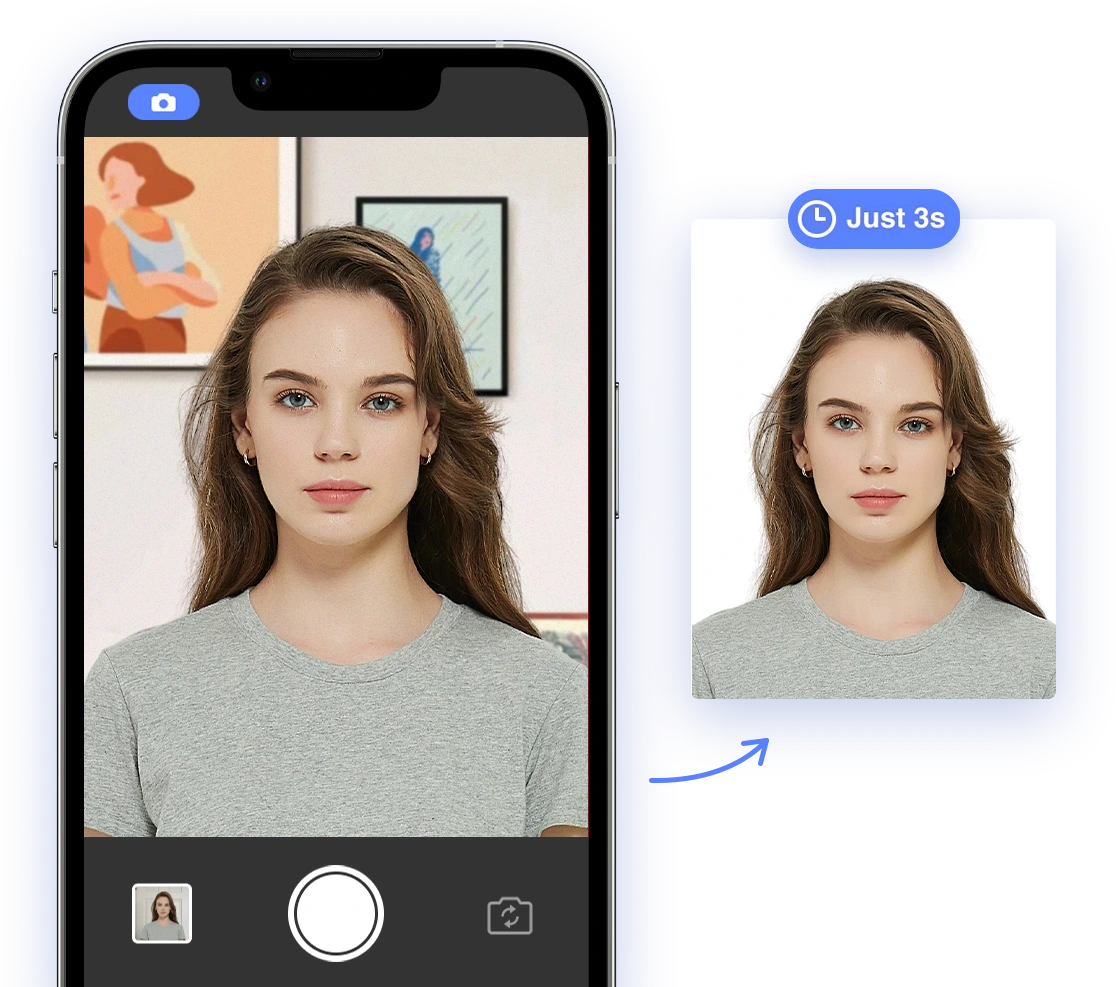
Tired of travel plans being delayed? Applying for a passport or visa involves meticulous attention to detail, and one of the most common stumbling blocks is the passport photo. A rejected photo can lead to significant frustration and delays, potentially costing you time, money, and missed opportunities. But don't worry! This comprehensive guide is here to help you navigate the often-complex world of passport photo requirements, unveiling the top reasons for rejections and providing actionable solutions to ensure your photo meets all official standards. We'll explore DIY tips, demystify dress code guidelines, and reveal how cutting-edge AI-powered tools can guarantee compliance for a seamless and stress-free application process. Say goodbye to photo rejections and hello to smooth sailing on your next adventure!Common Reasons for Passport Photo Rejection
Passport photos are often rejected for reasons that are easily avoided. Here are some common reasons for rejection:1. Incorrect Size and Dimensions
The United States passport photos need to be 2x2 inches (51 x 51 mm). Photos that are too small, too large, or not properly centered can be rejected. Cropping and resizing your photos correctly is essential. AI tools can automate this process, ensuring the dimensions meet the exact requirements. Did you know that failing to adhere to the precise dimensions accounts for a significant percentage of photo rejections? For detailed information, refer to the U.S. Department of State's guidelines: U.S. Department of State - Passport Photos.2. Poor Lighting and Shadows
Uneven or harsh lighting can create shadows that distort facial features. Natural light is preferable, and you should avoid flash. Setting up optimal lighting at home is essential, and AI tools can automatically correct lighting issues, removing shadows, and ensuring even illumination. Proper lighting can make or break your photo. For best results, utilize the tips outlined by PhotoAid: PhotoAid - Passport Photo Lighting.3. Wrong Facial Expression
A neutral expression is required, with both eyes open and facing the camera. Smiling, frowning, or any exaggerated expressions can lead to rejection. Relaxing your facial muscles and achieving a natural expression is key. AI tools can detect and flag non-compliant expressions, helping you maintain a neutral face.4. Background Issues
A plain white or off-white background is required. Avoid textured or colored walls. Creating a suitable background at home is crucial for photo compliance. AI tools can automatically remove and replace backgrounds, ensuring they meet official standards. Struggling with your background? AI Passport Photo can help with background removal. You can also find great tips in our article Passport Photo Background Rules.5. Incorrect Attire and Accessories
Hats, scarves, or other headwear that obscures the face are not permitted. Eyeglasses are generally not allowed unless medically necessary with documentation. Choosing appropriate clothing and accessories is crucial. AI tools can detect and flag non-compliant items, ensuring your attire meets the standards. What should you wear, and what should you avoid? See Passport Photo Dress Code: What to Wear for US Approval.6. Poor Image Quality
The photo should be clear, crisp, and not pixelated or blurry. High-quality photos are essential for approval. AI tools can enhance image quality, minimizing blurriness or pixelation, and ensuring your photo meets the clarity standards.7. Digital Alterations
Photos should represent your natural appearance, so avoid filters, excessive retouching, or other digital alterations. Maintaining a natural look is crucial. AI tools can flag unnatural alterations, ensuring your photo represents your true appearance.8. Outdated Photos
Photos must be recent, typically taken within the last six months, to accurately reflect your current appearance. Using recent photos is essential for a smooth application. Review your photo to ensure it accurately represents your current self.9. Head Position and Framing
You should be standing or sitting up straight with your shoulders square and your eyes looking directly into the camera lens. Do not tilt your head at any angle. Correct head position and framing are essential. AI tools can automatically detect faces and position them correctly, ensuring proper alignment.10. Failure to Follow Specific Country Guidelines
Different countries may have unique requirements for passport photos, such as specific dimensions, background colors, or pose restrictions. Checking specific country guidelines is essential. AI tools can automatically adjust photo requirements to meet different country guidelines, simplifying the process for international travel. If you're applying for a UK passport, refer to UK guidelines: UK Passport Photo Rules.DIY Photo Tips & Tricks
Taking your passport photo at home can be a convenient and cost-effective option. However, it's crucial to follow these tips to ensure your photo meets all official requirements:Lighting
To achieve optimal lighting at home, make use of natural light by taking your photo near a window during daylight hours. Avoid direct sunlight, which can create harsh shadows. Ensure the light is even and illuminates your face uniformly. If natural light is insufficient, use soft, diffused artificial light to minimize shadows.Background
Create a suitable background by using a plain white or off-white sheet or wall. Ensure there are no patterns, textures, or objects in the background. The background should be clean and uncluttered, providing a clear and distraction-free backdrop for your photo.Posing
To achieve a natural expression, relax your facial muscles, look directly at the camera, and avoid smiling or frowning. Keep your eyes open and avoid tilting your head. Maintain a neutral expression that accurately represents your everyday appearance.Dress Code Demystified
Understanding the dress code for passport photos can help you avoid unnecessary rejections. Here's what you need to know:What to Wear
Choose appropriate clothing by opting for smart casual attire in colors that contrast with the white background. Avoid busy patterns or colors that blend with the background, as these can cause the photo to be rejected. Solid colors are generally a safe choice.What to Avoid
Avoid wearing hats, scarves, or other accessories that obstruct the face, as these are generally not permitted. Also, avoid wearing uniforms or clothing that is too sparkly, as these can interfere with the photo's clarity and compliance.Hairstyles & Makeup
Manage your hairstyle by ensuring that your hair does not cover your face or obstruct your eyes. Keep your hair neatly styled and avoid excessive volume. For makeup, aim for a natural look that enhances your features without altering your appearance significantly. Need some inspiration? Check out our article Enhancing Your Driver's License Photo: Unveiling the Power of Makeup.How AI Helps
AI-powered tools can revolutionize the passport photo process, ensuring compliance and minimizing the risk of rejection. Here's how:Automatic Adjustments
AI can automatically adjust photo size, background, and lighting to meet official standards. These adjustments ensure your photo adheres to the specific requirements of passport photos, saving you time and effort.Compliance Checks
AI tools verify key compliance points such as head size, position, background color, and lighting. These checks ensure your photo meets all the necessary criteria, minimizing the risk of rejection.Background Removal/Change
AI can automatically detect faces, remove backgrounds, and replace them with compliant colors. This feature ensures your photo has the required plain background, regardless of your initial setup.Face Detection and Cropping
AI tools automatically detect faces and position them perfectly according to official passport guidelines. This ensures your face is properly centered and framed in the photo.Image Enhancement
AI tools correct lighting and enhance image quality to minimize blurriness or pixelation. This feature ensures your photo is clear, crisp, and meets the required clarity standards.[CTA: Create your compliant passport photo with AI Passport Photo today! Try AI Passport Photo Now]
Real-Life Examples
[Incorporate real-life examples of rejected photos and demonstrate how AI tools could have prevented those rejections. Highlight the convenience and cost savings of using AI for passport photos.]Troubleshooting Guide
Even with careful planning, technical issues can arise during the passport photo process. Here's how to address common problems:File Size Limitations
To address file size limitations, compress your photo without compromising image quality. There are many free online tools available for photo compression. Reduce resolution if necessary while maintaining clarity.Resolution Problems
Adjust the resolution of your photo by using image editing software to increase the number of pixels. Ensure the resolution meets the minimum requirements without making the photo blurry or pixelated.Comparison of AI Tools
[Provide a comparative analysis of different AI passport photo tools available in the market, highlighting their features, pros, and cons to help users make informed decisions.]Conclusion
Avoiding common mistakes is essential for a successful passport photo application. By following these DIY tips and leveraging AI-powered tools, you can ensure your photo meets all official requirements and minimize the risk of rejection. Say goodbye to photo-related stress and hello to smooth travels![CTA: Get your passport photo right the first time with AI Passport Photo! Start Now]