
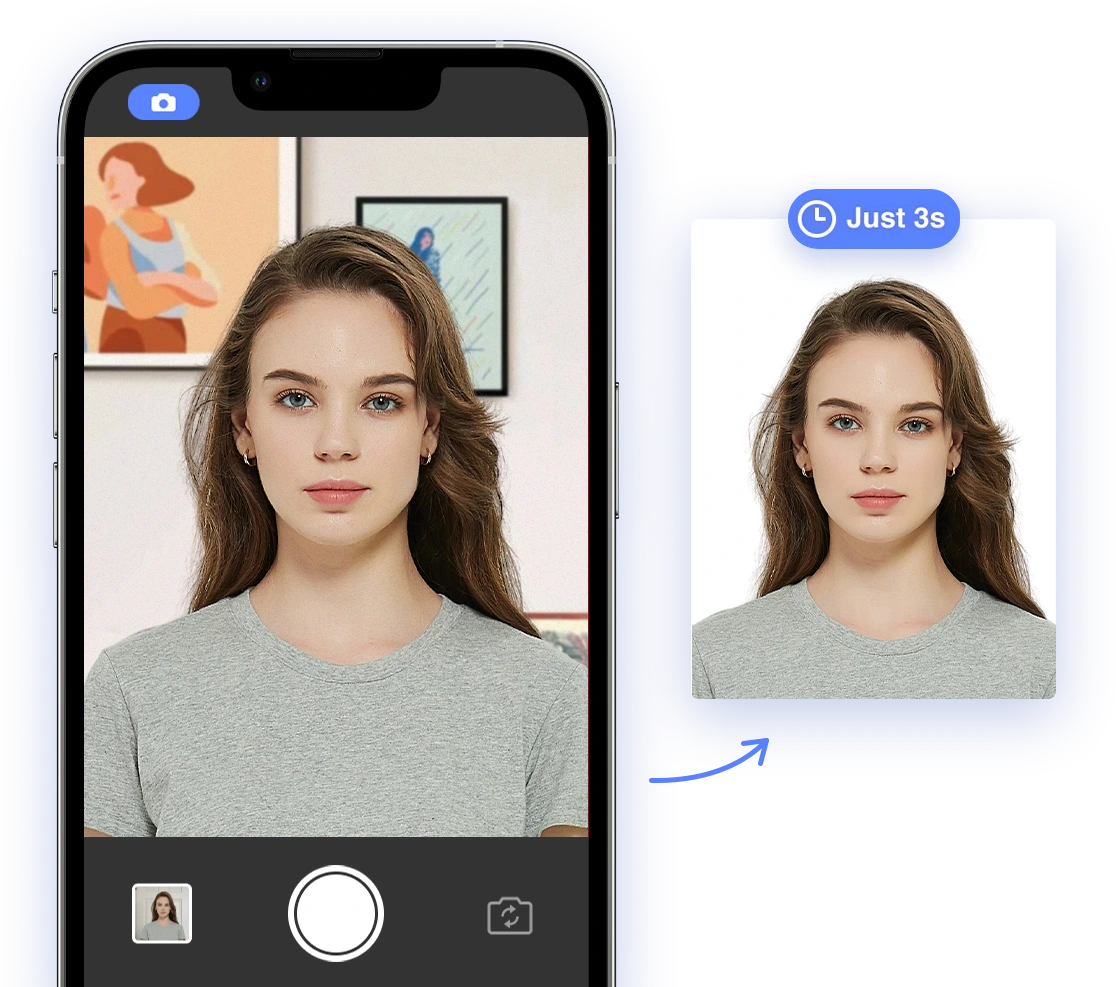
Understanding Passport Photo Requirements
Before diving into DIY tips and troubleshooting, let's clarify the fundamental requirements for a passport photo. These standards are set by government agencies to ensure accurate identification and security. Adhering to these guidelines from the outset can save you time and prevent potential headaches.Core Requirements
- Size and Dimensions: US passport photos must be 2x2 inches (51x51 mm). See also: Passport Photo Size in the U.S.
- Color: Photos must be in color, not black and white.
- Background: A plain white or off-white background is required. Learn more about decoding the US passport photo background.
- Resolution: The photo should be clear and high resolution, with no pixelation.
- Recency: The photo must be taken within the last six months to accurately reflect your current appearance.
- Neutral Expression: A natural facial expression with both eyes open is mandatory. Avoid smiling, frowning, or squinting.
- No Head Coverings: Head coverings are generally prohibited unless worn daily for religious reasons. A signed statement may be required. Read more about hats in passport photos.
- No Eyeglasses: As of November 1, 2016, eyeglasses are no longer allowed in US passport photos, with rare medical exceptions. If you have a medical reason, you will need to submit a signed statement from your doctor.
Top Reasons for Passport Photo Rejection
Understanding common pitfalls can significantly increase your chances of success. Here are the top reasons why passport photos get rejected:- Incorrect Size or Dimensions: Failing to meet the 2x2 inch requirement.
- Poor Image Quality: Photos that are blurry, pixelated, or too dark/light.
- Non-Compliant Background: Using a background that isn't plain white or off-white.
- Incorrect Facial Expression: Smiling, squinting, or having your mouth open. Find out if it is okay to smile in a passport photo.
- Wearing Eyeglasses: Unless a medical exception is documented.
- Head Coverings: Unless worn daily for religious purposes with a signed statement.
- Shadows on Face or Background: Uneven lighting can obscure facial features, leading to rejection.
- Red Eye: A common issue with flash photography that can be easily avoided.
CTA: Use AI Passport Photo to ensure your photo meets all requirements and avoid these common mistakes! AI Passport Photo
DIY Tips for Taking Compliant Photos at Home
Taking your passport photo at home can be convenient and cost-effective. However, it requires careful attention to detail to ensure compliance. Here's how to do it right:Setting Up Your Photo Environment
- Lighting: Use natural, diffused daylight. Avoid direct sunlight, which can create harsh shadows. Position yourself facing a window to get even lighting across your face.
- Background: Find a plain white or off-white wall. If you don't have one, use a white sheet or poster board, ensuring it's smooth and free of wrinkles.
- Distance: Have someone take the photo for you to ensure the correct distance and perspective. Stand about 4-6 feet away from the background to avoid shadows.
Choosing the Right Clothing and Accessories
- Attire: Wear everyday clothing that you would normally wear. Avoid uniforms or clothing that resembles a uniform. For more information, read our article on what to wear for a US passport photo.
- Jewelry: Keep jewelry minimal. Avoid large or distracting pieces that could cause reflections or obscure your facial features. Read Passport Photo with Jewelry: What's Allowed & How to Avoid Rejection [2024-2025] for more details.
- Head Coverings: If worn daily for religious reasons, ensure the head covering does not obscure your face. Provide a signed statement explaining the religious requirement.
- Eyeglasses: Remove eyeglasses unless you have a documented medical reason for wearing them. In such cases, provide a signed statement from your doctor.
Mastering the Correct Pose and Expression
- Facial Expression: Maintain a neutral expression. Keep your mouth closed and avoid smiling, frowning, or any exaggerated expressions.
- Head Position: Face the camera directly with your head level. Do not tilt your head or look to the side, as this can distort your facial features.
- Eye Contact: Look directly at the camera to ensure your eyes are clearly visible.
CTA: Ensure your DIY passport photo is perfect with AI Passport Photo! Our tool checks all the requirements for you. AI Passport Photo
Navigating Global Passport Photo Requirements
While the core principles of passport photo requirements remain relatively consistent, specific details can vary significantly between countries. These differences often pertain to size, background, and other minor details. Therefore, it's essential to always check the official guidelines for the country issuing your passport or visa to avoid rejection.Key Differences in Global Requirements
- Size and Dimensions: While 2x2 inches is standard for the US, other countries may have different size requirements. For example, some European countries require a 35x45 mm photo.
- Background Color: While the US requires a plain white or off-white background, some countries might allow light gray or blue backgrounds. Always verify the acceptable background colors.
- Head Size: The measurement from the bottom of the chin to the top of the head may vary. Some countries specify a precise range for this measurement.
- Digital vs. Print: Some countries require digital uploads with specific file size and format requirements, while others still need printed photos.
How to Find Country-Specific Guidelines
- Official Government Websites: The most reliable source of information is the website of the embassy or consulate of the country you're applying to. Look for sections on passport or visa requirements. You can find useful information on the government agencies website.
- Visa Application Centers: Many countries outsource visa processing to application centers. These centers often provide detailed photo specifications and guidelines.
- AI Passport Photo: Our app automatically adjusts to meet the specific requirements of different countries, saving you the hassle of manual adjustments.
CTA: Don't risk rejection due to incorrect specifications! Create a compliant passport photo for any country with AI Passport Photo! AI Passport Photo
Leveraging AI for Passport Photo Compliance
Artificial Intelligence (AI) has significantly simplified the passport photo process, providing tools that offer accuracy, convenience, and peace of mind. These AI-powered solutions can assist with background removal, size adjustments, and facial feature detection, ensuring your photo meets all the necessary requirements.How AI Simplifies the Process
- Automatic Background Removal: AI algorithms can automatically detect the background and remove or replace it with a compliant plain white or off-white background.
- Size and Dimension Adjustment: AI can adjust the photo to meet the exact size and dimension requirements specified by different countries, eliminating manual cropping and resizing.
- Facial Feature Detection: AI can detect and correct issues with facial expression, head position, and eye contact, ensuring your key features are correctly aligned.
- Real-time Feedback: Many AI apps provide instant feedback, guiding you to take a compliant photo by alerting you to any potential issues in real-time.
Popular AI Passport Photo Solutions
- AI Passport Photo: Our app is designed to meet global standards, offering a seamless experience with automatic adjustments and real-time feedback.
- Other AI Photo Apps: Several other apps and websites use AI to check passport photos. Research and compare features to find the best fit for your specific needs.
Comparing AI Solutions
When choosing an AI passport photo app, consider the following factors to ensure you select the best tool for your needs:- Accuracy: Does the app consistently produce compliant photos that meet official guidelines? Look for apps with high success rates.
- Ease of Use: Is the app user-friendly, intuitive, and easy to navigate, even for those with limited technical skills?
- Features: Does the app offer a comprehensive suite of features, including background removal, size adjustment, facial feature detection, and real-time feedback?
- Cost: Compare pricing and subscription options to find an app that fits your budget while still providing the necessary features and accuracy.
CTA: Save time and ensure compliance with AI! Try AI Passport Photo for guaranteed results and a hassle-free experience. AI Passport Photo
What to Do If Your Passport Photo Is Rejected
Even with careful preparation and the use of AI tools, passport photos can sometimes be rejected. If this happens, don't panic. There are steps you can take to address the issue and ensure your application proceeds smoothly.Understanding the Rejection Notice
- Review the Reasons: The rejection notice from the passport agency should clearly specify the reasons why the photo was rejected. This is crucial for identifying and correcting the issues.
- Identify the Problems: Carefully review the rejection notice and pinpoint the specific problems with your photo, such as incorrect size, poor lighting, or non-compliant background.
Appealing a Rejection
- Contact the Agency: If you believe the rejection was made in error or have additional information to provide, contact the passport agency or visa application center directly.
- Provide Additional Information: Offer any supporting documentation or clarification that might help to clarify the situation. For example, if you have a medical condition requiring eyeglasses, provide a doctor's note.
Retaking a Compliant Photo Quickly and Easily
- Use AI Passport Photo: Our app can quickly generate a compliant photo by addressing the issues identified in the rejection notice and ensuring all requirements are met.
- Follow DIY Tips: Carefully review and follow the DIY tips outlined earlier in this guide, paying particular attention to the areas where your previous photo fell short.
- Seek Professional Help: If you’re struggling to take a compliant photo on your own, consider using a professional photo service that specializes in passport and visa photos.
Handling Hairstyles and Accessories in Passport Photos
Navigating the rules around hairstyles and accessories can be particularly tricky, as they are often subject to interpretation. Here’s a comprehensive guide to help you understand what's acceptable and what's not:Acceptable Hairstyles
- General Guidelines: Your hairstyle should not obscure your face or distort your facial features. Ensure your forehead and hairline are clearly visible. Read What are the requirements for hair on passport photos in the United States? for more information.
- Bangs: Bangs are generally acceptable if they do not cover your eyes or cast shadows on your face. Trim or style your bangs to ensure they meet this requirement. Read more about Is it permissible to have fringe in my passport picture? - A Guide to Passport Photo Regulations
- Volume: Avoid hairstyles that add excessive volume or height, as this can make it difficult to accurately measure your head size and position your facial features correctly.
Navigating Accessories
- Headbands and Barrettes: These are generally discouraged unless worn daily for religious reasons. If worn, they should be plain and not obscure your face.
- Hats: Hats are strictly prohibited unless worn daily for religious reasons. A signed statement explaining the religious requirement may be necessary.
- Jewelry: Keep jewelry minimal and avoid anything that could cause reflections or obscure facial features. Small earrings and necklaces are generally acceptable. Find out if jewelry is allowed in passport photos
Special Cases: Infants, Children, and Special Considerations
Taking passport photos for infants and children requires extra patience and specific techniques. Additionally, individuals with medical conditions or other special considerations may need to take additional steps to ensure compliance.Infants and Small Children
- Positioning: Lay the baby on a plain white sheet or use a car seat covered with a white cloth. Ensure the background is smooth and free of distractions.
- Assistance: Ensure no one is visible in the photo holding the baby. If necessary, use a prop or support that can be easily removed from the final image.
- Expression: Capture the photo when the baby is calm and has a neutral expression. This may require multiple attempts and a lot of patience.
Individuals with Special Considerations
- Medical Conditions: If you have a medical condition that affects your appearance, such as facial scarring or the need to wear a head covering, provide documentation from a medical professional explaining the condition and its impact on your appearance.
- Facial Differences: Ensure all facial features are visible and not obscured by clothing, hair, or accessories. Contact the passport agency if you have concerns about meeting this requirement.