
Laugh & Learn: Hilarious Passport Photo Fails & AI Solutions [2024-2025]
Taking your own passport photo can feel like navigating a minefield. Have you ever tried, only to end up with a result that looks more like a mugshot than an official document? Or perhaps you thought you nailed it, only to receive that dreaded rejection notice? You're not alone! Passport photo rejections are more common than you might think, and some of the reasons are downright hilarious.
But while the stories can be funny, the frustration of a rejected application is no laughing matter. Delayed travel plans, wasted fees, and the overall hassle can be a real headache. Fear not! This guide will delve into the humorous side of passport photo mishaps while providing practical, actionable advice, and cutting-edge AI-powered solutions to ensure your next photo is a guaranteed success. Get ready to laugh, learn, and finally conquer the passport photo challenge!
Hilarious Passport Photo Rejection Stories
Let's kick things off with some real-life anecdotes that highlight just how easily things can go wrong. These stories will not only give you a chuckle, but also illustrate the importance of understanding (and adhering to!) those often-strict passport photo requirements:
- The Case of the Disappearing Forehead: One applicant's photo was rejected because their bangs completely obscured their forehead. Apparently, the passport office needs to see your entire face, even if you think your new haircut is totally rocking the 'no-brow' look. The lesson? Keep those bangs out of your eyes!
- The Great Background Rebellion: Another applicant submitted a photo with a slightly off-white background. The verdict? Rejected! Apparently, the government is very particular about its shades of white. Who knew there were so many?
- The Accessorizing Debacle: Hats, glasses, and even certain necklaces have been the downfall of many passport photos. One person's application was rejected because their stylish scarf was deemed a 'head covering'. Sorry, fashionistas, keep it simple!
- The Smiling Bandit: While a slight smile is now acceptable, showing too much teeth can still get your photo tossed. One applicant learned this the hard way when their beaming grin was deemed 'excessive'. Apparently, they weren't "saying cheese" correctly. Find out if it is okay to smile in a passport photo.
- The Shadowy Suspect: Lighting is key, as one applicant discovered when their photo was rejected due to harsh shadows.
These stories are not just for laughs. They highlight the importance of understanding and adhering to the often-strict (and sometimes seemingly absurd) passport photo requirements. So, how can you avoid becoming the subject of the next viral rejection story?
Why Do Passport Photos Get Rejected?
To avoid becoming the subject of future hilarious (but frustrating) rejection stories, let's break down the most common reasons why passport photos fail to make the cut. Understanding these pitfalls is the first step to ensuring your photo is a success:
- Incorrect Size and Dimensions: Passport photos must be exactly 2x2 inches (51x51 mm). If your photo is even slightly off, it's a no-go. Precision is key here!
- Poor Lighting and Shadows: Uneven lighting, harsh shadows, or overexposure can distort your facial features and lead to rejection. You want to look like you, not a silhouette.
- Non-Compliant Background: The background must be plain white or off-white, free from any patterns or textures. Many DIY attempts fail because of this seemingly simple requirement.
- Improper Attire and Accessories: Hats, headbands, glasses (in most cases), and overly distracting jewelry are generally prohibited. Even certain clothing items can cause issues if they blend in with the background. Less is definitely more in this case. Read Passport Photo Fashion Faux Pas: What NOT to Wear for US Approval [2024-2025]
- Unnatural Facial Expressions: While a slight, natural smile is now allowed, excessive smiling, frowning, or any other exaggerated expression can lead to rejection. Think Mona Lisa, not Joker.
- Poor Image Quality: Blurry, pixelated, or low-resolution photos are a surefire way to get your application denied. It's 2024, after all – make sure your camera is up to the task!
- Red Eye: Remember those old cameras that made your eyes glow red? Yeah, those photos are definitely not passport-appropriate. Time to upgrade your tech (or just avoid flash).
Now that we know the common pitfalls, let's move on to how you can take control and create a compliant photo yourself.
DIY Passport Photo Tips for Success
Want to try your hand at taking your own passport photo and save some cash? Here's some actionable advice to significantly increase your chances of success. Remember, a little preparation goes a long way!
- Find a Well-Lit Area: Natural light is your best friend. Position yourself facing a window, but avoid direct sunlight, which can create harsh shadows. Think soft, diffused light.
- Use a Plain White Background: A white wall, a white sheet, or even a large piece of white poster board will work. Make sure there are no shadows or wrinkles. Iron that sheet if you have to!
- Dress Appropriately: Wear plain, neutral-colored clothing that doesn't blend in with the background. Avoid busy patterns, logos, and distracting accessories. Think business casual, not runway ready.
- Maintain a Neutral Expression: Relax your face and look directly at the camera. A slight, natural smile is now acceptable, but avoid showing too much teeth. Practice in the mirror beforehand!
- Remove Eyeglasses: Unless you have a medical reason, it's best to remove your glasses to avoid reflections or glare. Contact lenses might be a good alternative.
- Take Multiple Shots: The more photos you take, the better your chances of getting one that meets all the requirements. Think quantity and quality.
Step-by-Step Guide to a DIY Passport Photo
Ready to put those tips into action? Follow this step-by-step guide for a higher chance of DIY success:
- Prepare Your Space: Set up your background and lighting as described above. This is the foundation for a good photo.
- Enlist a Helper: Ask a friend or family member to take the photo for you. Selfies are generally not recommended, as they often distort proportions.
- Position Yourself: Stand about 2-3 feet away from the background. This helps avoid shadows and provides a clear shot.
- Take the Photo: Have your helper take several photos, ensuring you maintain a neutral expression and proper posture. Consistency is key.
- Review and Select: Carefully review the photos and choose the one that best meets all the requirements. Don't settle for 'good enough'.
- Crop and Resize: Use a photo editing tool to crop and resize the photo to the exact 2x2 inch dimensions. There are many free online tools available.
- Print or Submit Digitally: Depending on the application process, either print the photo on high-quality photo paper or submit it digitally. Check the specific instructions for your application.
Feeling overwhelmed? Don't worry, there's an easier way!
AI Passport Photo: The Stress-Free Solution
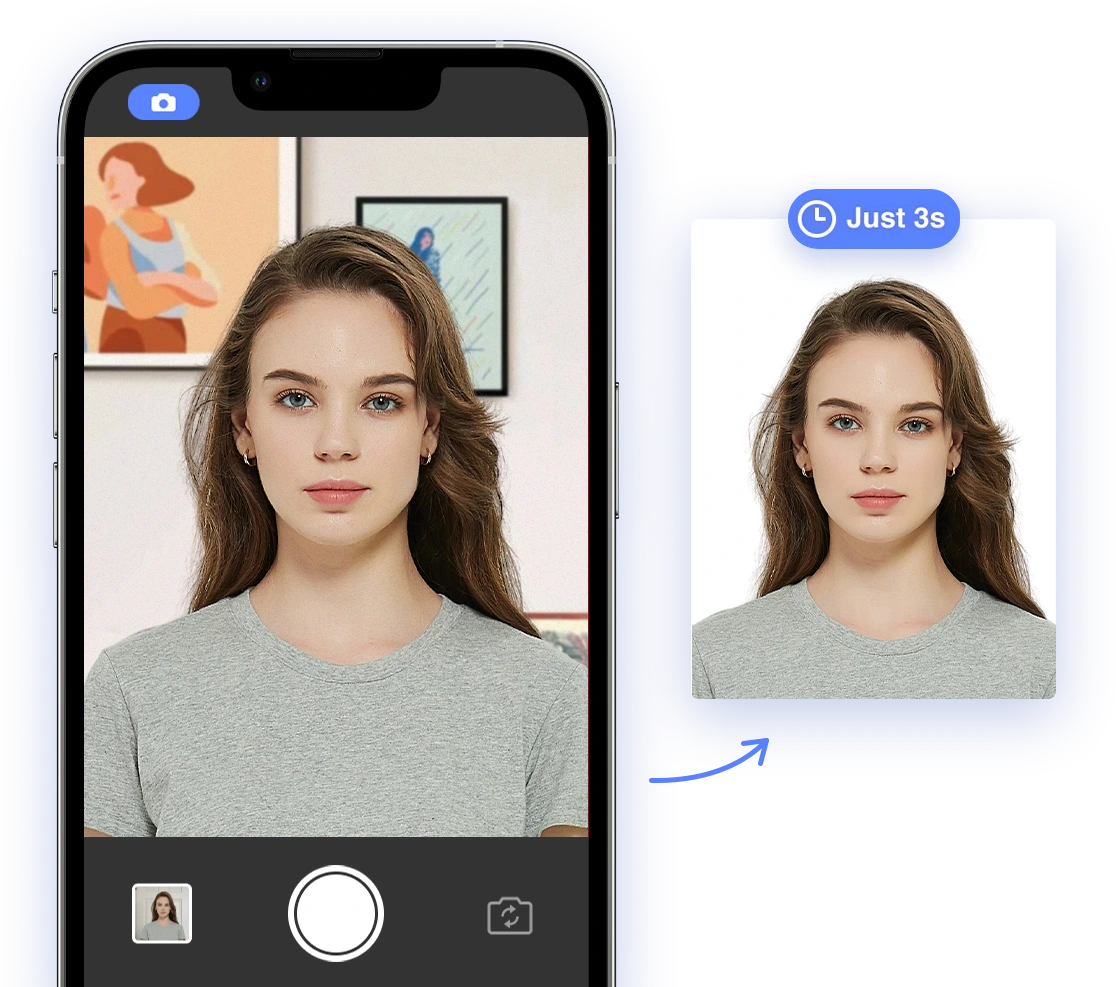
If the thought of DIY passport photos fills you with dread, or if you've already experienced the pain of rejection, there's a much easier, more reliable way: AI-powered passport photo tools. These innovative apps and websites use artificial intelligence to automatically check your photo for compliance, remove backgrounds, adjust lighting, and ensure accurate facial recognition. Think of it as having a passport photo expert in your pocket!
Benefits of Using AI Passport Photo
Why choose AI over the DIY route (or even a traditional photo studio)? Here are just a few compelling reasons:
- Guaranteed Compliance: AI tools are programmed to recognize and adhere to the latest passport photo requirements, minimizing the risk of rejection. They're constantly updated to reflect any changes in regulations.
- Time and Money Savings: Avoid the expense and inconvenience of traditional photo studios. Plus, you can retake the photo as many times as you need, without paying extra!
- Convenience: Take your photo from the comfort of your own home, at any time, day or night. No need to schedule appointments or travel anywhere.
- Ease of Use: AI-powered tools are designed to be user-friendly, even for those with limited technical skills. You don't need to be a Photoshop expert!
- Unlimited Retakes: Experiment with different poses and expressions until you get the perfect shot. Get that slight smile just right!
Step-by-Step Guide to Using AI Passport Photo
Ready to experience the ease and convenience of AI? Here's how to get started:
- Download the App or Visit the Website: Many AI passport photo services offer both mobile apps and websites, so choose the option that's most convenient for you. AI Passport Photo has both options.
- Upload Your Photo: Follow the instructions to upload a photo from your phone or computer. Make sure it's a clear, well-lit image to begin with.
- Let the AI Do Its Thing: The AI will automatically analyze your photo and identify any potential issues, from background problems to incorrect dimensions.
- Make Adjustments (If Needed): If the AI detects any problems, it will provide clear guidance on how to fix them. This might involve adjusting the lighting, cropping the image, or changing your pose.
- Approve and Download: Once you're satisfied with the result, approve the photo and download it in the correct format.
- Print or Submit Digitally: Print the photo on high-quality photo paper or submit it digitally, depending on the application process. The AI tool will ensure it meets the requirements for both. Find out How to Print Your Passport Photo at Home?
It's that simple! But how does AI actually work to ensure compliance?
The Importance of Biometric Data
Biometric data plays a crucial role in modern passport photos. This data is used for facial recognition, which helps to verify your identity and prevent fraud. It's all about using technology to keep our borders secure. AI-powered tools ensure that your photo accurately captures your biometric data, further minimizing the risk of rejection. They analyze key facial features and ensure they meet the required standards for recognition.
Addressing Unique Situations
We know that not everyone fits neatly into the standard passport photo mold. Here's how to handle some unique situations:
- Infants: Taking photos of infants can be challenging due to their inability to sit still or follow instructions. Laying the baby on a white sheet or using an AI tool specifically designed for infant passport photos can be helpful. Patience (and maybe a few snacks) is key!
- Medical Conditions: Individuals with medical conditions that affect their appearance should consult with a medical professional or passport agency to determine if any special accommodations are necessary. AI tools can assist in ensuring that any necessary medical devices are visible and do not obstruct facial features. Transparency is important in these cases.
Real-Life Success Stories
Don't just take our word for it! Here are some real-life success stories from people who have used AI Passport Photo:
"I used AI Passport Photo after my first DIY attempt was rejected. The app was so easy to use, and it guaranteed compliance. My passport was approved without any issues!" - Sarah J.
"As a single mom, I didn't have time to go to a photo studio. AI Passport Photo allowed me to take my baby's photo at home, and it was approved on the first try!" - Maria L.
"I always struggled with taking passport photos that looked decent. AI Passport Photo made the process so easy and stress-free, and I actually like how my photo turned out!" - David K.
These stories demonstrate the power of AI to simplify a traditionally frustrating process.
Conclusion: Say Goodbye to Passport Photo Stress
Passport photo rejections can be a source of frustration, delay, and even a few laughs (in hindsight!). But they don't have to be. By understanding the common reasons for rejection, following our DIY tips, and leveraging the power of AI-powered tools, you can confidently create compliant (and maybe even flattering!) passport photos from the comfort of your own home. So go ahead, embrace the future of passport photos and say goodbye to photo-related stress! Your next adventure awaits, and now you're one step closer to getting there.
Ready to take the perfect passport photo and eliminate the risk of rejection? Check out AI Passport Photo today and get guaranteed compliance!