
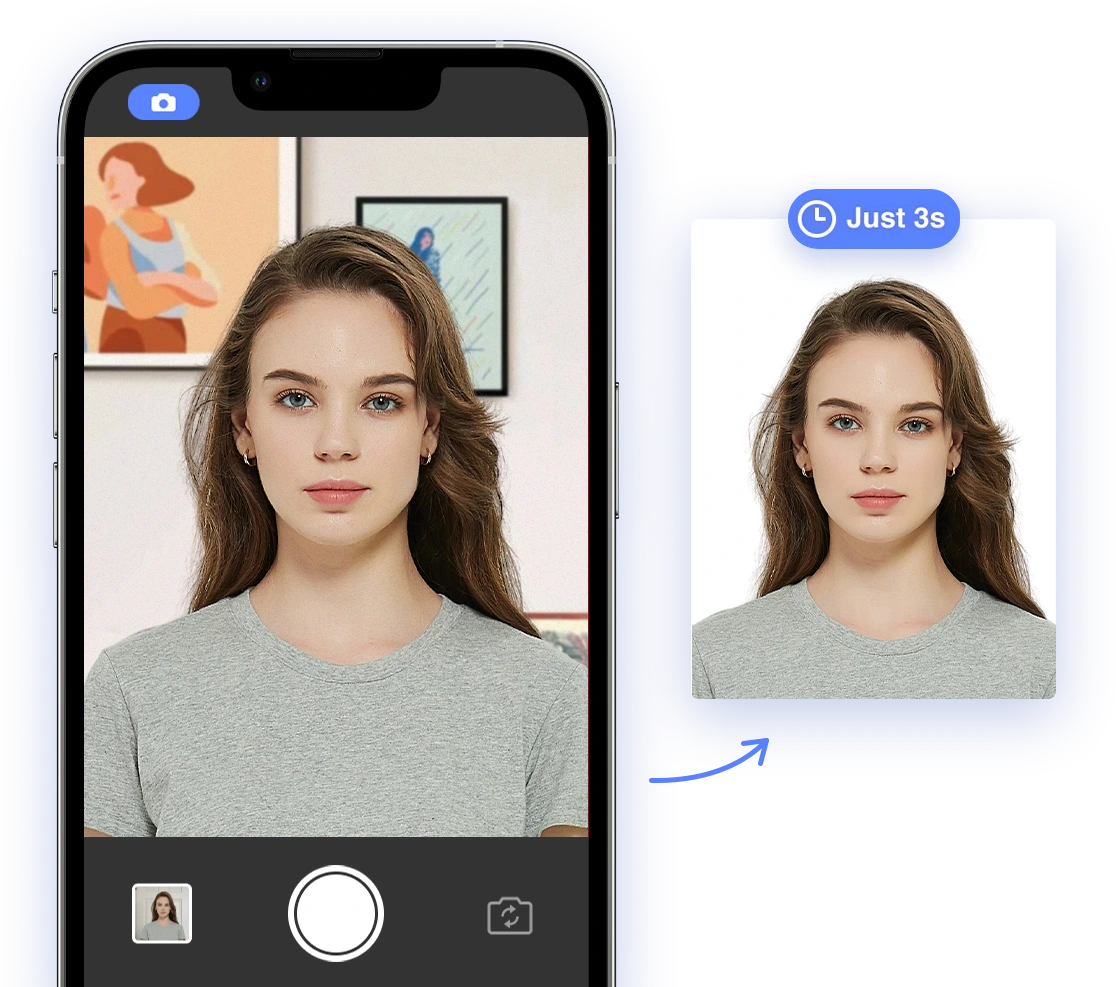
Passport Photos and Evolving Biometric Standards: A 2026 Guide
Planning to travel internationally in 2026? One of the most crucial steps in preparing for your trip is ensuring that your passport and visa photos meet all the latest biometric standards. As technology advances, so do the requirements for these essential identification documents. This guide will help you navigate the complex world of biometric passport photos, providing the knowledge and tools you need to ensure your application is successful.
Understanding Current Biometric Standards
Biometric standards for passport photos are designed to ensure accurate and reliable identification using facial recognition technology. These standards are set by international organizations like the International Civil Aviation Organization (ICAO) and adopted by individual countries to maintain security and streamline border control processes.
Key Elements of Biometric Standards
Several key elements define modern biometric standards:
- Facial Recognition Technology: Passport photos must be optimized for facial recognition algorithms, which analyze key facial features to verify identity. Accurate facial feature capture is paramount.
- ICAO Standards: These standards specify precise requirements for photo size (typically 2x2 inches), resolution, lighting, background, and pose. Adhering to these specifications is crucial for compliance.
- Country-Specific Requirements: While ICAO provides a baseline, individual countries may have additional requirements, such as specific background colors, restrictions on accessories, or specific guidelines for religious head coverings. Always verify the specific requirements of the country issuing your passport or visa. For example, it is important to know what are the requirements for hair on passport photos in the United States?
The Impact of AI on Passport Photo Compliance
Artificial intelligence (AI) is revolutionizing the way we create passport photos, offering tools that simplify the process and minimize the risk of rejection. AI-powered tools can automatically analyze photos to ensure they meet all biometric standards, addressing common challenges like:
- Lighting Correction: AI can detect and correct poor lighting conditions, ensuring facial features are clearly visible and properly illuminated. This includes adjusting brightness, contrast, and shadow levels.
- Pose Correction: AI can guide users to achieve the correct pose and head position, ensuring accurate facial feature capture. These tools provide real-time feedback on head tilt, eye gaze, and overall posture.
- Background Removal/Replacement: AI can automatically remove or replace non-compliant backgrounds with the required color and uniformity. This eliminates issues caused by distracting patterns or incorrect background hues. You can also get the passport photo background rules on our website.
- Facial Feature Detection and Adjustment: AI algorithms can accurately detect and measure key facial features (e.g., distance between eyes, nose length, mouth width), ensuring they meet the specified biometric standards. They can also automatically resize and crop the photo to the correct dimensions. Using AI, you can take passport photo at home.
Strategic CTA: Try our AI passport photo tool for guaranteed compliance!
Future Trends in Biometric Passport Photos
As biometric technology continues to evolve, future passport photo requirements are likely to become even more sophisticated. Emerging trends include:
- Enhanced Facial Recognition Accuracy: Advancements in facial recognition algorithms may lead to more stringent requirements for facial feature capture and analysis. This could include higher resolution photos and more precise measurements of facial features.
- Integration of Iris Scanning: Iris scanning technology, which uses the unique patterns in the iris to verify identity, may be integrated into future passport photo standards. This would require clear visibility of the irises in the photo.
- Advanced Liveness Detection: Liveness detection technologies, which verify that the person in the photo is a real, live individual, are likely to become more prevalent to prevent fraud. This could involve analyzing subtle movements or requiring users to perform specific actions during the photo capture process.
- Integration with Digital IDs: Passport photos are increasingly becoming integrated with digital identity systems, allowing for seamless online verification and access to services.
DIY vs. Professional Passport Photos in the Age of AI
With the increasing accuracy and accessibility of AI-powered DIY solutions, you might wonder if it's still necessary to use professional passport photo services. Here's a comparison of the pros and cons of each approach:
| Feature | DIY Passport Photos with AI | Professional Passport Photo Services |
|---|---|---|
| Cost | Lower cost; often pay only for printing. You may even find a Walgreens passport photo coupon. | Higher cost; includes service fee. |
| Convenience | Very convenient; take photos at home or anywhere with a smartphone. If you're traveling to NYC, you can search Canada Passport Photos in NYC and find a photographer. | Requires a visit to a photo studio or passport acceptance facility. |
| Compliance | AI tools guide you to meet the requirements or automatically adjust. | Professional photographers are familiar with photo requirements. However, they may not always be up-to-date on the latest biometric standards. |
| Speed | Instant; photos can be taken and processed in minutes. | Can take longer; appointment may be needed. |
| Retakes | Unlimited retakes possible. | Limited to the number of shots the photographer takes. |
| Control | Full control over the photo, pose, and timing. You can altering my passport photo: from gray hair to a new look. | Less control over the final image. |
| Potential Issues | Relies on the accuracy of AI; potential for user error if instructions aren't followed closely. Ensure the AI tool is up-to-date and reputable. | May not be familiar with all the latest requirements, can be more expensive than DIY options at home. Double-check their compliance guarantee. |
Strategic CTA: Ready to try it yourself? Use our AI tool to create compliant passport photos!
Troubleshooting Common Biometric Photo Rejection Issues
Even with AI assistance, biometric passport photos can still be rejected for various reasons. Here's a guide to addressing common problems:
- Poor Lighting: Ensure even lighting across your face, avoiding shadows or glare. Natural light is often best, but avoid direct sunlight, which can create harsh shadows. Consider using a reflector to even out the lighting. If this doesn't solve your issue, you may want to consider Changing Passport Photos: A Complete Guide
- Incorrect Pose: Face the camera directly with a neutral expression, keeping your head straight and your eyes open. Avoid tilting your head or smiling, as this can distort your facial features. Make sure your eyes are clearly visible and not obstructed by hair or glasses.
- Obstructions: Remove any glasses, hats, or accessories that may obstruct your face. If you must wear glasses for medical reasons, ensure they are not reflective and do not obscure your eyes. Religious head coverings are generally permitted, but they must not obscure any part of your face.
- Background Issues: Use a plain, white or off-white background, free from patterns or distractions. Ensure the background is evenly lit and free from shadows. A plain white wall or a sheet of white paper can work well.
- Resolution and File Size: Ensure your photo meets the required resolution and file size specifications. Check the specific requirements of the country issuing your passport or visa.
AI tools can help identify and resolve these issues by providing real-time feedback and automated corrections. By understanding the most common rejection reasons for ID photos, you can increase your chances of success.
Country-Specific Biometric Photo Guidelines
While the ICAO sets baseline standards, specific requirements can vary from country to country. It's crucial to check the exact specifications for your destination. Here’s a summary of key biometric photo requirements for several countries:
| Country | Size (inches) | Background Color | Other Specifications |
|---|---|---|---|
| United States | 2x2 | White | Neutral expression, no glasses, hair not obstructing face, ears visible. |
| Canada | 2x2 | White or off-white | Neutral expression, no glasses, taken within the last six months. Name and date taken must be stamped on the back. |
| United Kingdom | 1.77x1.38 | Light grey | Neutral expression, eyes open and visible, no shadows on face, plain expression. |
| Schengen Area (e.g., France, Germany, Italy) | 1.77x1.38 | Light grey or white | Neutral expression, eyes open and visible, no head coverings (except for religious reasons), centered and sharp. |
| Australia | 1.77x1.38 | Light grey or blue | Neutral expression, eyes open and visible, even lighting across face, good skin tone. |
| India | 2x2 | White or off-white | Neutral expression, eyes open and visible, ears visible, no shadows on the face. You will also want to make sure you know the Indian passport photo size. |
| China | 1.89x1.38 | White | Neutral expression, eyes open and visible, no jewelry or headwear, full face visible. If you live in the U.S. and need to renew your chinese passport, we can help you with that as well. You may even consider exploring how to make China Visa Photo. |
Disclaimer: Always consult the official government website of the country for the most up-to-date and accurate information.
The Role of Liveness Detection
To combat fraud and ensure the authenticity of digital IDs, liveness detection technologies are increasingly being incorporated into passport photo processes. Liveness detection uses various methods to verify that the person in the photo is a real, live individual, rather than a static image or a manipulated photo. These methods may include:
- Motion Detection: Analyzing subtle movements in the photo to detect signs of life.
- Facial Micro-Expressions: Detecting subtle changes in facial expressions that are indicative of a live person.
- Challenge-Response: Prompting the user to perform a specific action, such as blinking or turning their head, to verify their presence.
- Depth Analysis: Using depth sensors to analyze the 3D structure of the face and detect inconsistencies that may indicate a fake image.
Ethical Considerations
The use of biometric data in passport photos raises several ethical considerations, including:
- Privacy Concerns: Collecting and storing biometric data raises concerns about potential misuse or unauthorized access. Strong data protection measures are crucial to safeguard this sensitive information.
- Bias in Facial Recognition: Facial recognition algorithms may be biased against certain demographic groups, leading to inaccurate or discriminatory outcomes. Ongoing research and testing are needed to mitigate these biases.
- Accessibility: Ensuring that biometric systems are accessible to individuals with disabilities or other special needs.
It's essential to implement appropriate safeguards and regulations to address these ethical concerns and ensure that biometric data is used responsibly and ethically. Learn more about us to see our commitment to ethical practices.
By understanding the evolving landscape of biometric passport photo standards and the impact of AI technology, you can navigate the process with confidence and ensure your applications are successful. Embrace the future of identification and travel with AI Passport Photo!