
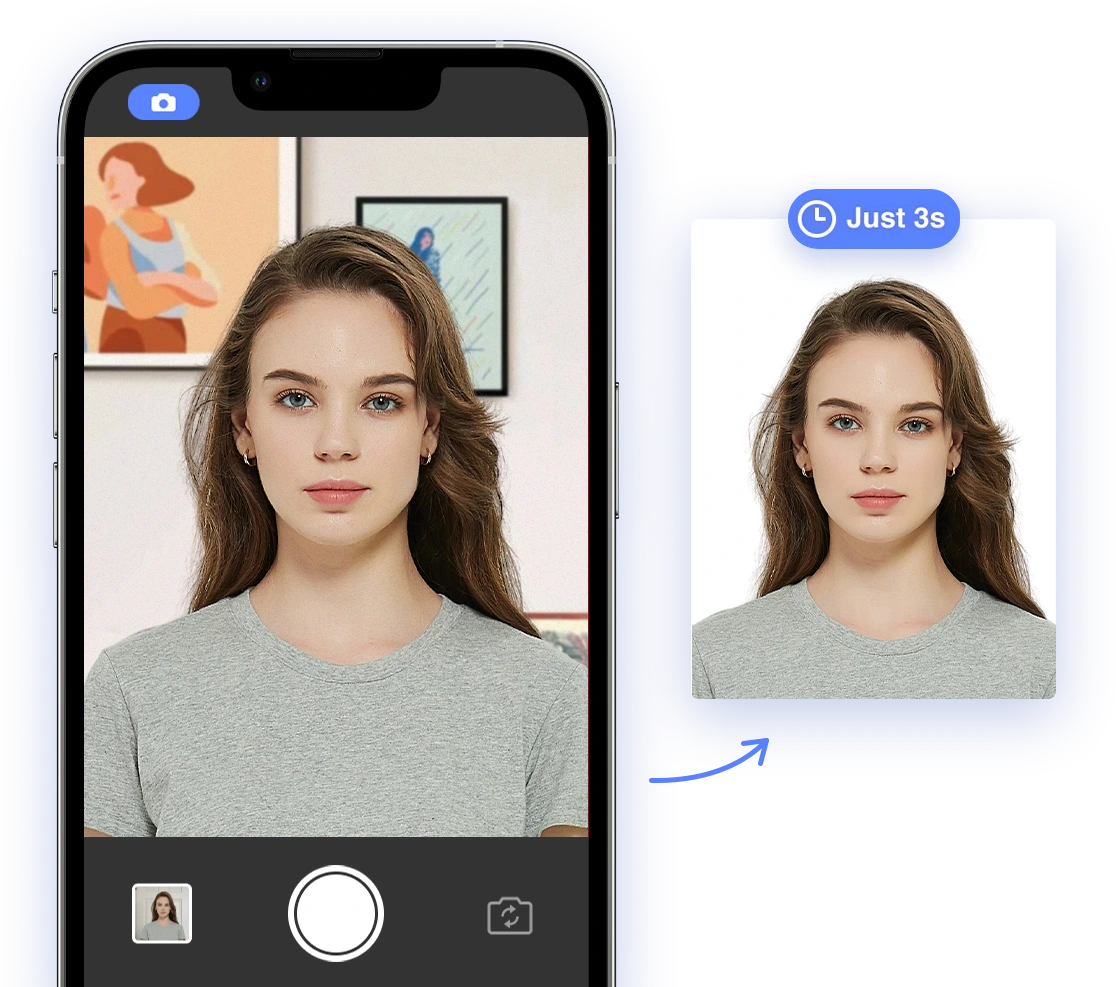
Applying for a passport or visa can feel like navigating a minefield of rules and regulations. One of the most common stumbling blocks? The passport photo. A seemingly simple requirement can quickly turn into a major headache if your photo doesn't meet the stringent standards set by various government agencies worldwide. But fear not! This comprehensive guide is here to empower you with the knowledge and tools you need to conquer those tricky requirements and ensure your application sails through smoothly in 2026-2027.
Why is Passport Photo Compliance So Important?
An unsuitable photograph is a leading reason for rejection of passport applications. Submitting a non-compliant photo can lead to significant delays, wasted time and money, and even missed travel opportunities. In today's world, facial recognition technology is increasingly used to verify identities, making biometric compliance more critical than ever. Ignoring these details can throw a wrench in your travel plans before you even pack your bags! A helpful resource to avoid common mistakes can be found on YouTube: 10 Passport Photo Mistakes That Will Get You Rejected.
The Top Reasons for Passport Photo Rejection
Based on extensive analysis of faulty ID photos, here are the common issues leading to photo rejections. Recognizing these pitfalls is the first step in ensuring your photo makes the cut:
- Posture Problems: Issues include incorrect arm positioning, elevated chin, head tilt, or being too far from the camera. For tips on achieving the perfect pose, check out this helpful video: HOW TO LOOK GOOD IN PASSPORT/ID PICTURES.
- Appearance Issues: The photo may not accurately reflect what you look like at the time of application due to reflections on glasses, headwear, inappropriate clothing, or even the covering of ears.
- Poor Image Quality: Low resolution, blur, or black and white photos are not eligible. Digital filters and alterations are also not allowed. To ensure your lighting is just right, see Why my passport photo was rejected: Exposure.
To give you a clearer picture, here's a table summarizing common rejection reasons:
| Rejection Reason | Description |
|---|---|
| Incorrect Background | Background isn't plain white/off-white, shadows are present, or there are patterns/objects visible. |
| Improper Head Size/Position | Head is too small/large, not centered, tilted, or not facing the camera directly. In the US, head size must measure 1-1 3/8 inches (25-35 mm). |
| Poor Image Quality | Photo is blurry, grainy, low-resolution, pixelated, underexposed, or overexposed. |
| Incorrect Facial Expression/Eyes | Eyes are closed/partially closed, looking away, or there's an overly broad smile. A neutral expression is required. Why you Can't Smile in your Passport Photo - See here. |
| Eyeglasses | Glasses are generally not allowed due to glare or obstruction of the eyes. |
| Prohibited Accessories/Clothing | Hats, headphones, hairbands, or uniforms are worn. Hair or clothing obstructs the face. |
| Digital Alteration | Digital editing, filters, or AI retouching has been applied. |
| Photo Recency | The photo was taken more than 6 months ago. |
DIY Passport Photos: Expert Tips for Success
While professional photo services can be reliable, they can also be costly and time-consuming. Taking your passport photo at home is a viable option with the right knowledge and preparation. See U.S. Department of State - Passport Photos for reference. Here are some tips to help you ace your DIY passport photo:
Understanding the Requirements
Before you start snapping away, make sure you fully understand the specific requirements for your country's passport photo. As a general reference for the US, these include:
- Size and Dimensions: Most countries require a 2x2 inch (51x51 mm) photo. See details on Passport Photo Size in the U.S.
- Background: Generally, a plain white or off-white background is required.
- Lighting: Ensure even lighting on your face, avoiding shadows.
- Pose: Face the camera directly with a neutral expression. Why? See Why You Can't Smile In Passports.
- Digital Alterations: Digital alterations are strictly prohibited.
DIY Tips for Compliance
- Use Natural Light: Position yourself near a window for soft, even lighting. Avoid direct sunlight, which can cause harsh shadows.
- Use a Tripod: Stabilize your camera or smartphone with a tripod to ensure the photo is sharp and in focus.
- Dress Appropriately: Wear everyday casual clothing, avoiding uniforms or clothing that blends with the background.
- Grooming Matters: Ensure your hair is neatly styled and doesn't cover your face. Remove any excessive jewelry or accessories.
- Double-Check Everything: Use a checklist to verify that your photo meets all requirements. Don't be afraid to take multiple shots to get it just right. For a quick iPhone hack, check this video: Easy iPhone Passport Photo tip!
AI-Powered Passport Photos: A Game-Changer
Artificial intelligence is revolutionizing the way we create passport photos, offering a convenient and reliable solution for ensuring compliance. AI-powered tools can automatically:
- Crop and Resize: Automatically adjust the photo to the correct dimensions, ensuring it meets the size requirements.
- Remove Backgrounds: Replace distracting backgrounds with plain white, a common requirement across many countries.
- Check Compliance: Analyze the photo for adherence to all official requirements, flagging potential issues before submission.
Benefits of Using AI for Passport Photos
- Convenience: Take photos from the comfort of your home, eliminating the need for a trip to a professional photo studio. Need inspiration? See Taking A Passport Photo At Home
- Cost-Effectiveness: Often cheaper than professional photo services, especially if you need multiple attempts.
- Accuracy: AI tools are trained to detect and correct common errors, reducing the risk of rejection.
- Speed: Get your compliant photo in seconds, saving you valuable time and effort.
Top AI Passport Photo Tools in 2026
Several AI-powered tools are available to help you create compliant passport photos. These include:
- Passportmaker AI: Automatically formats photos, lets users add clothing, and change the background color. It also checks regulatory compliance.
- PhotoAiD: This app crops, resizes, and removes backgrounds, and an expert verifies compliance to make sure you get it right.
- AI Passport Photo Maker: This tool supports standard sizes for various countries and features built-in validation.
Note: This list is not exhaustive, and it is not an endorsement of any one service. Users should do their own research to determine the best option for their specific needs. AI Passport Photo is an AI-based app that allows you to take passport photos. Try AI Passport Photo Now!
Navigating Tricky Requirements with AI
While AI tools can be incredibly helpful, certain situations require extra attention. Here's how AI can assist with some common challenges:
Glasses
Minimize glare and reflections by adjusting lighting or slightly tilting your glasses. Some AI tools can even virtually remove glasses, if needed.
Head Coverings
Ensure that the head covering is worn for religious or medical reasons and does not obscure your facial features. Verify face visibility, and AI can help with proper cropping and background adjustments.
Facial Hair
If you have a beard or mustache, make sure it is neatly trimmed and does not obstruct your face. The photo must reflect your everyday appearance. AI tools can help analyze the photo to ensure the facial hair does not cause shadows or obscure key facial features.
Photos with a Disability
For individuals with disabilities or medical conditions, certain accommodations can be made. The key is to ensure that the photo accurately represents your appearance while still meeting core requirements. AI tools can assist by verifying that essential facial features are visible and that any necessary medical devices do not cause compliance issues. Learn more about specific scenarios.
Frequently Asked Questions (FAQ)
- Q: Can I smile in my passport photo?
A: Most countries require a neutral expression or a slight, natural smile. Avoid broad or exaggerated smiles. Learn more: Why you Can't Smile in your Passport Photo - Q: Can I wear makeup in my passport photo?
A: Yes, you can wear makeup, but it should be natural-looking and not alter your facial features significantly. See a Makeup for passport photo. - Q: What should I do if my baby moves during the photo?
A: Taking photos of infants requires patience. Try laying the baby on a plain white sheet or using a car seat covered with a white cloth to support their head. Enlist another person's help to take the photo to keep the baby safe. - Q: Can I retake my passport photo if my appearance changes significantly?
A: Yes, if you have undergone significant facial surgery or experienced considerable weight loss or gain, you should update your passport photo to reflect your current appearance. Learn more about changing passport photos. - Q: Do I need to remove my hearing aids for my passport photo?
A: The passport photo must be a clear image of your face, so remove your hearing aids if possible.
The Future of Passport Photos: What to Expect in 2026 and Beyond
As technology continues to evolve, we can expect even greater integration of AI into the passport photo process. This may include:
- Enhanced Biometric Analysis: AI will become even better at analyzing photos for biometric compliance, reducing rejection rates further.
- Real-Time Feedback: AI-powered tools will provide instant feedback as you take your photo, guiding you to make adjustments on the spot.
- Digital Identity Integration: Passport photos may become more closely linked to digital identities, enabling seamless online verification.
Conclusion
Navigating passport photo requirements doesn't have to be a stressful experience. By understanding the rules, following DIY tips, and leveraging the power of AI, you can ensure that your photo meets all official standards and your application sails through smoothly. So, go ahead, snap that perfect photo, and get ready to embark on your next adventure!